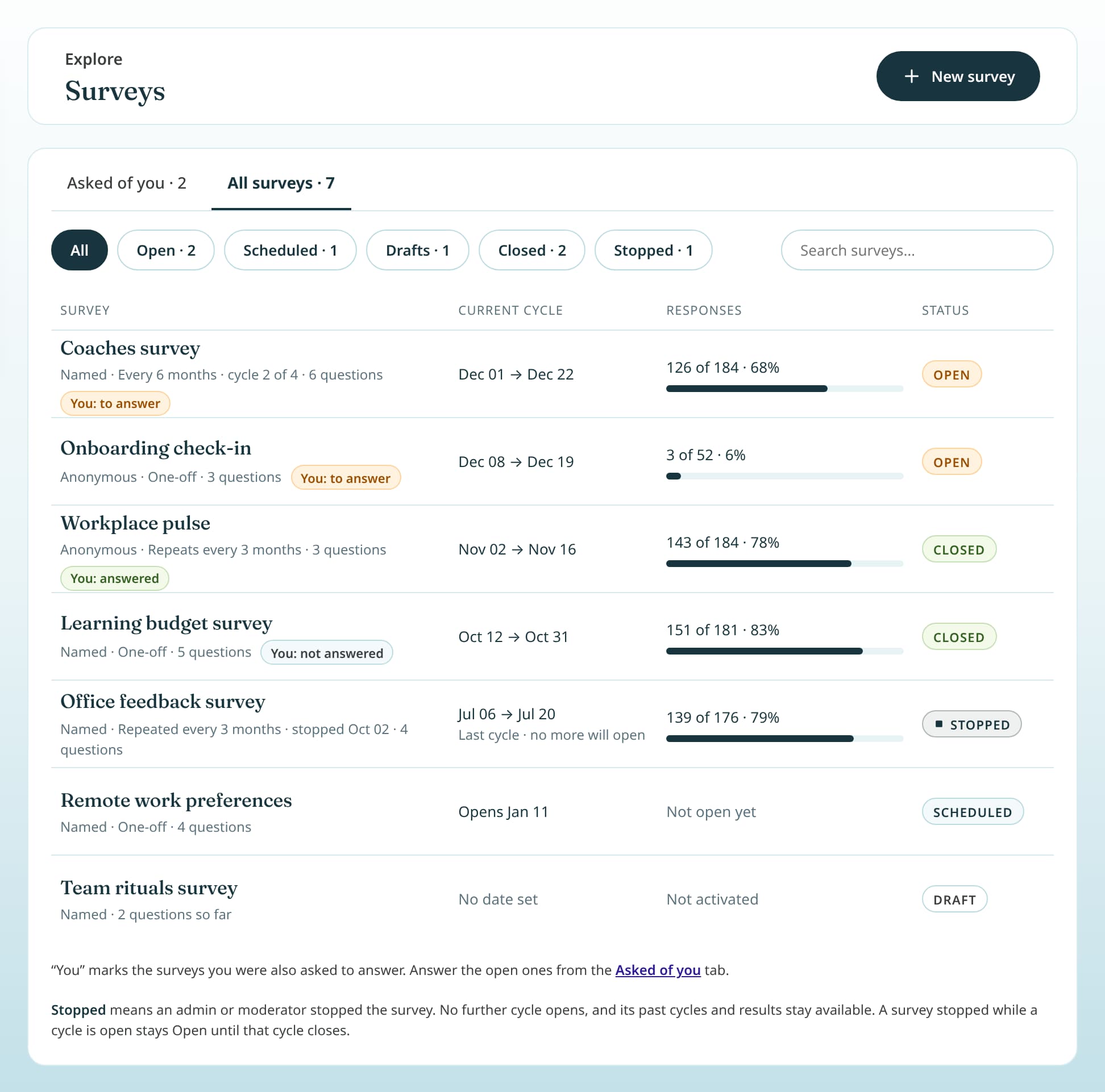
Ask your people with recurring or one-off surveys
Admins and moderators can now run surveys: once or on a repeat, for everyone or chosen teams, named or anonymous. Each cycle opens, reminds and closes on its own.
Resources · What's new
New features and improvements, newest first, each with the day it shipped.
Admins and moderators can now run surveys: once or on a repeat, for everyone or chosen teams, named or anonymous. Each cycle opens, reminds and closes on its own.
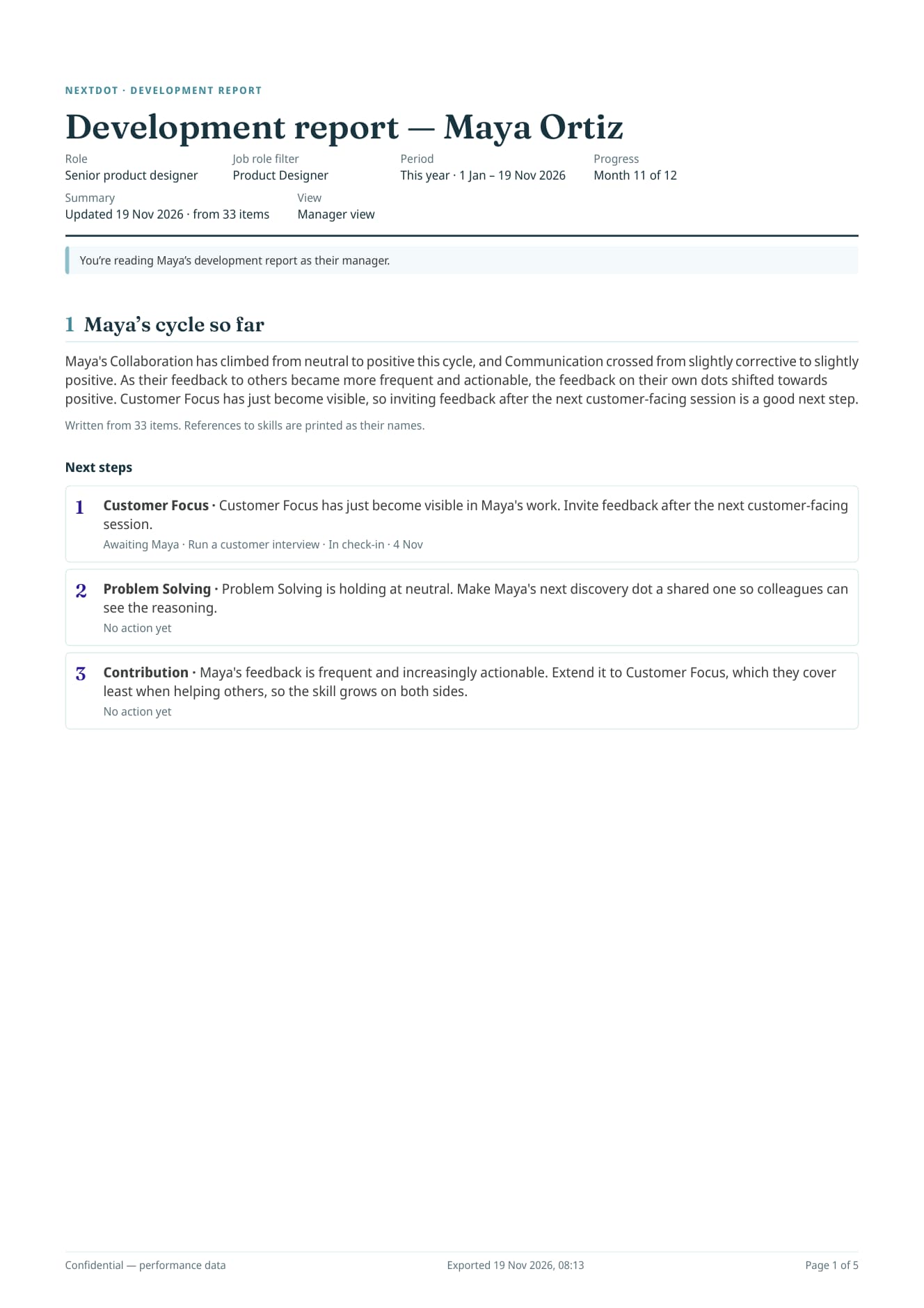
Reporting pages now export what they show, with the filters you set: tables to Excel with every matching row, and the other reports to a PDF laid out for print.
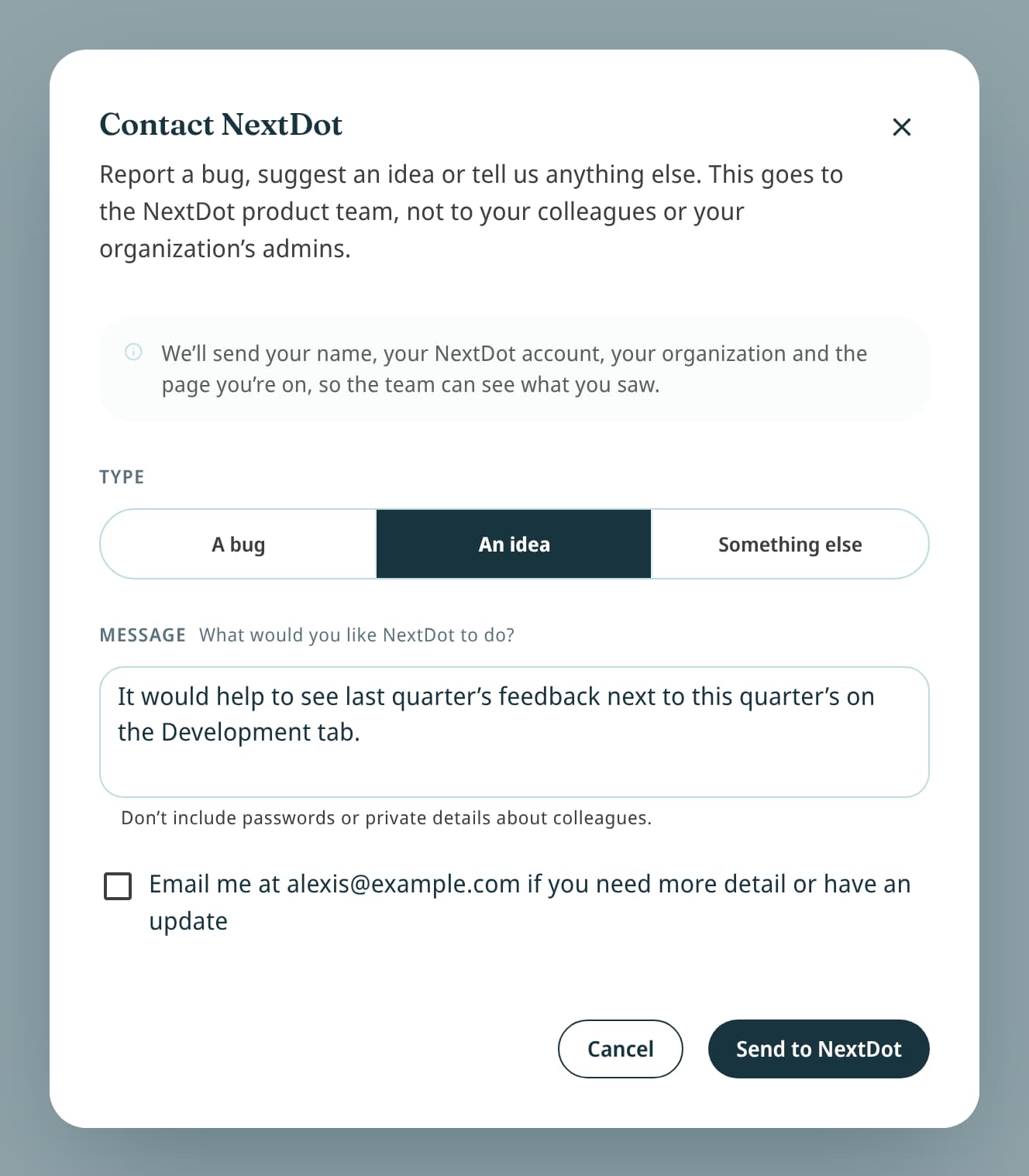
Contact Nextdot sends a bug report, an idea or anything else straight to the product team, without leaving the page you are on.
For professionals, leaders and admins
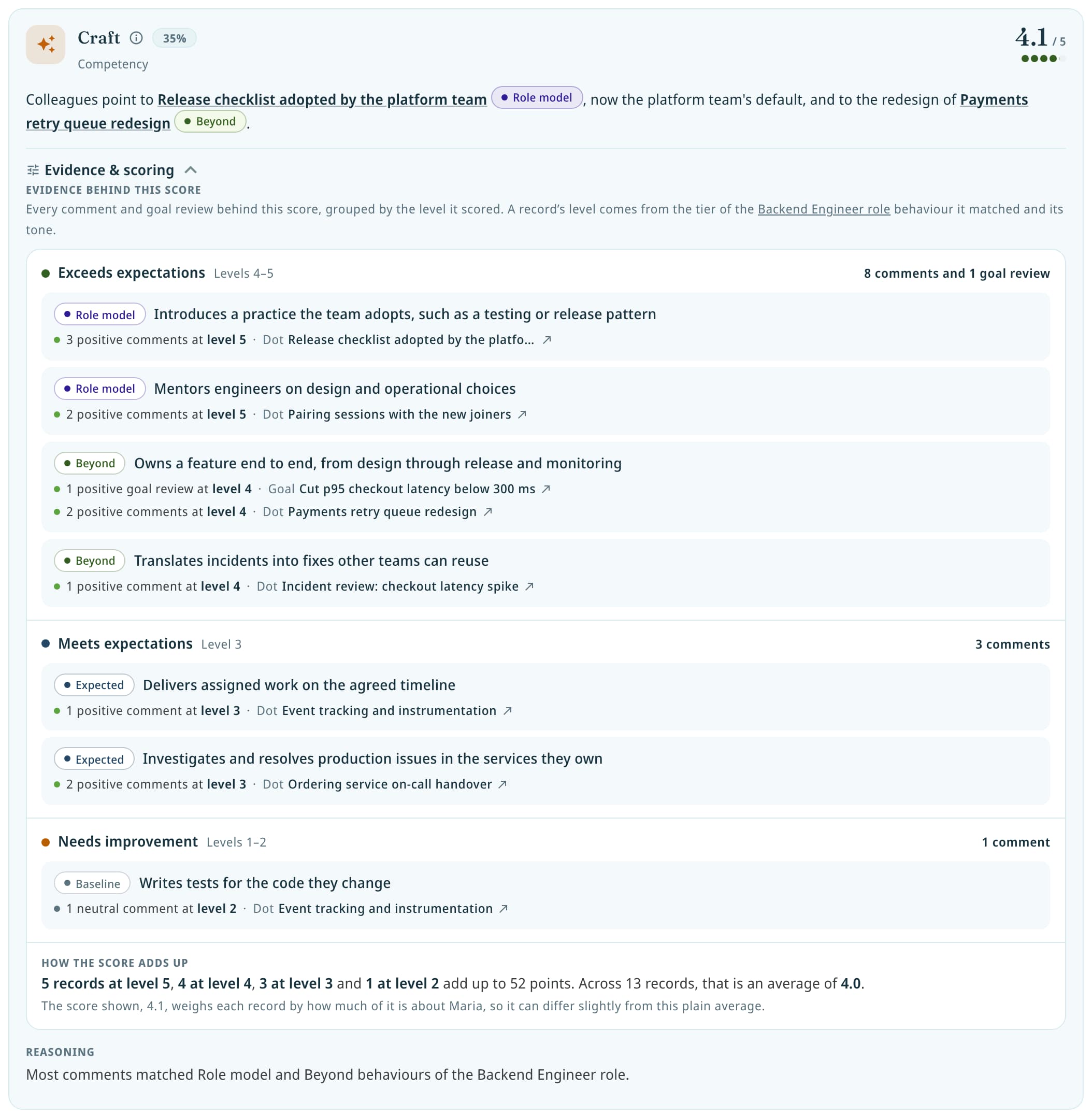
Each job role now has behaviour tiers that say what baseline, expected, beyond and role-model work look like, and reviews show which tier every piece of evidence matched.
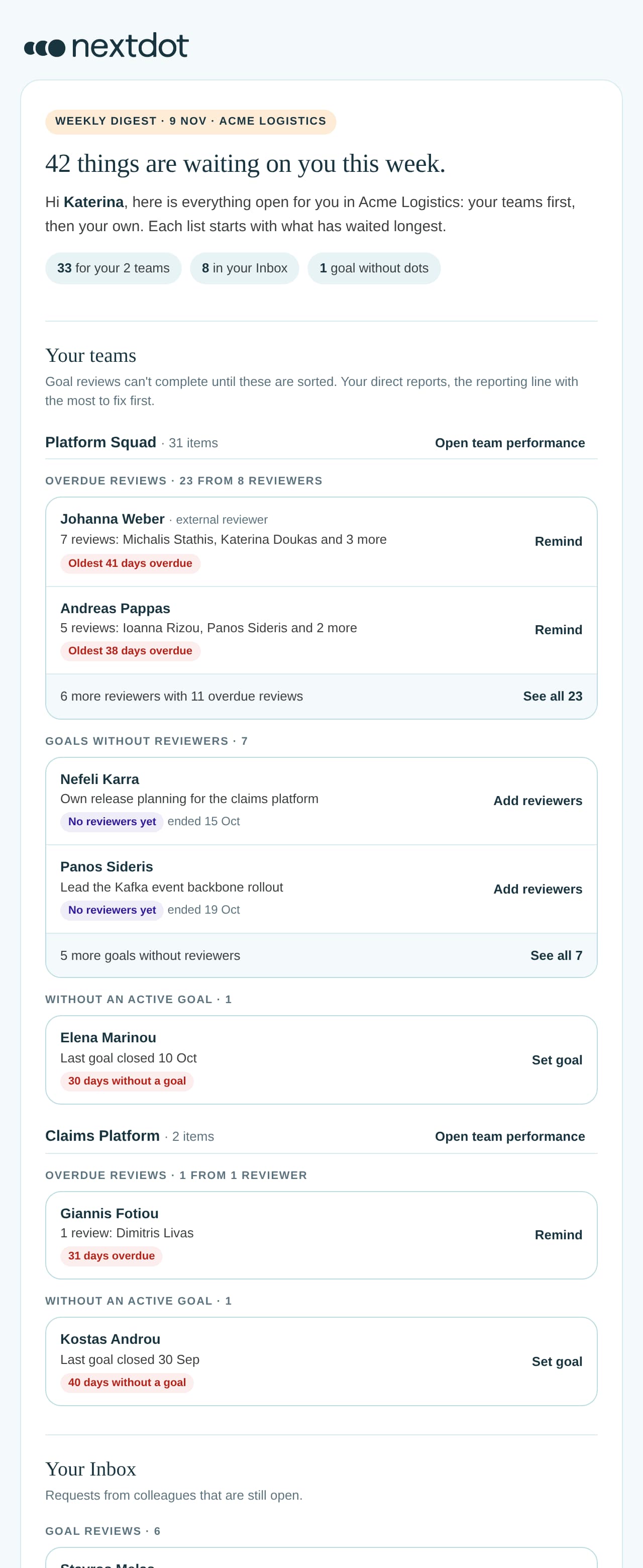
One email lists your open Inbox requests and your goals without dots and, if you lead a team, what is holding up your direct reports' goals. It is sent only when there is something to do.
For admins
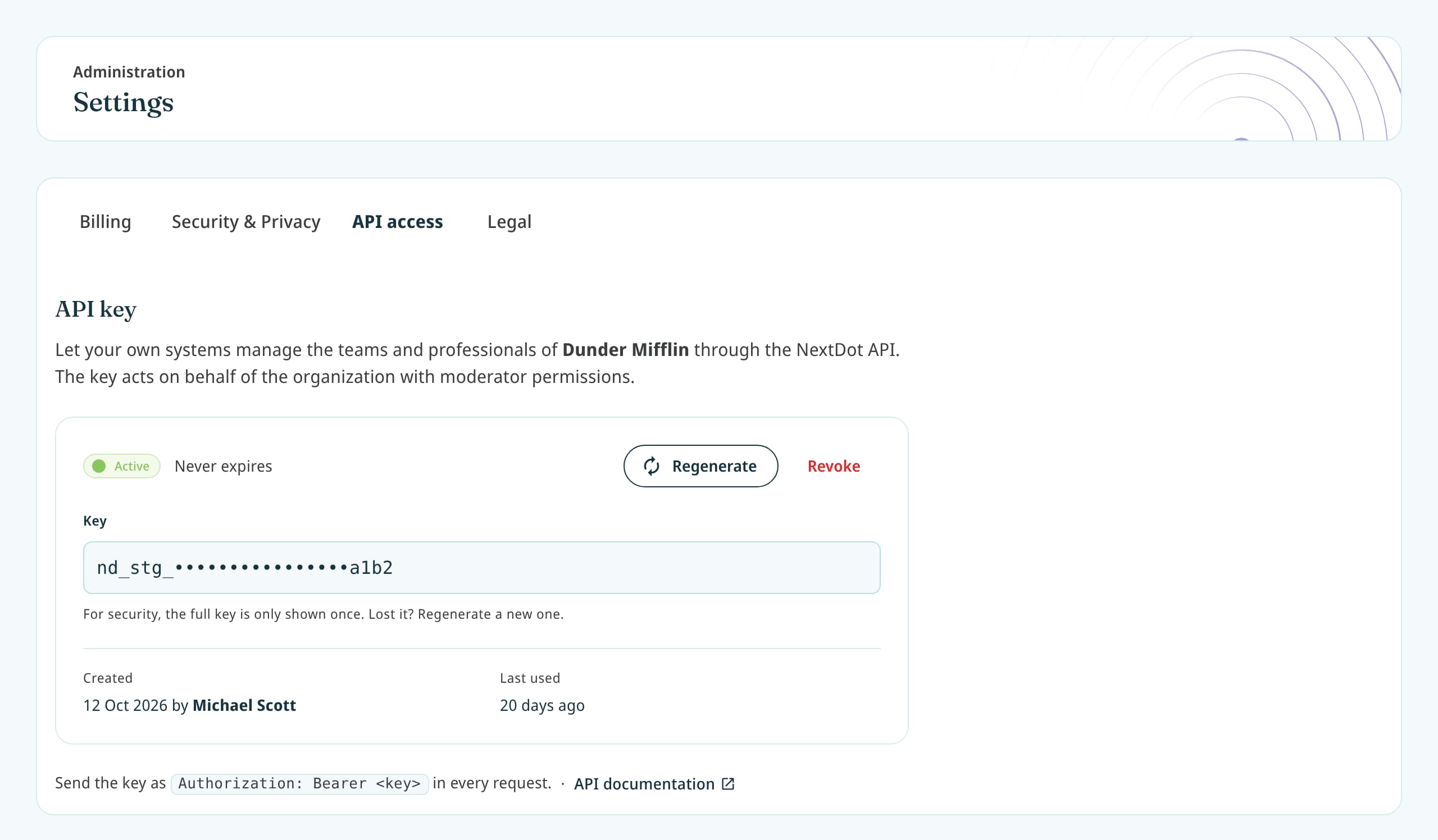
Admins can now create an API key for their organization and keep teams, members, roles and invitations in step with the systems they already run.
For professionals, leaders and admins
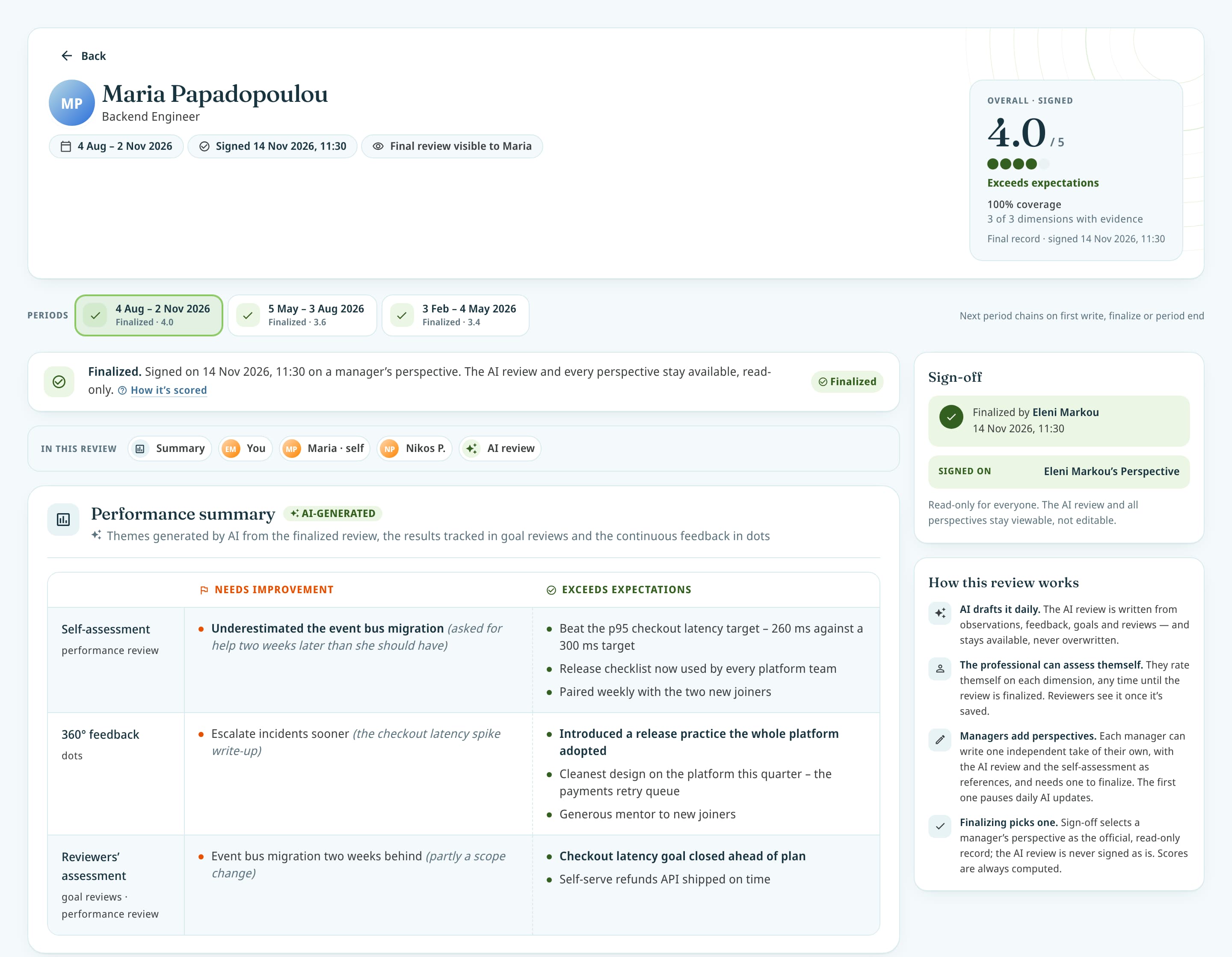
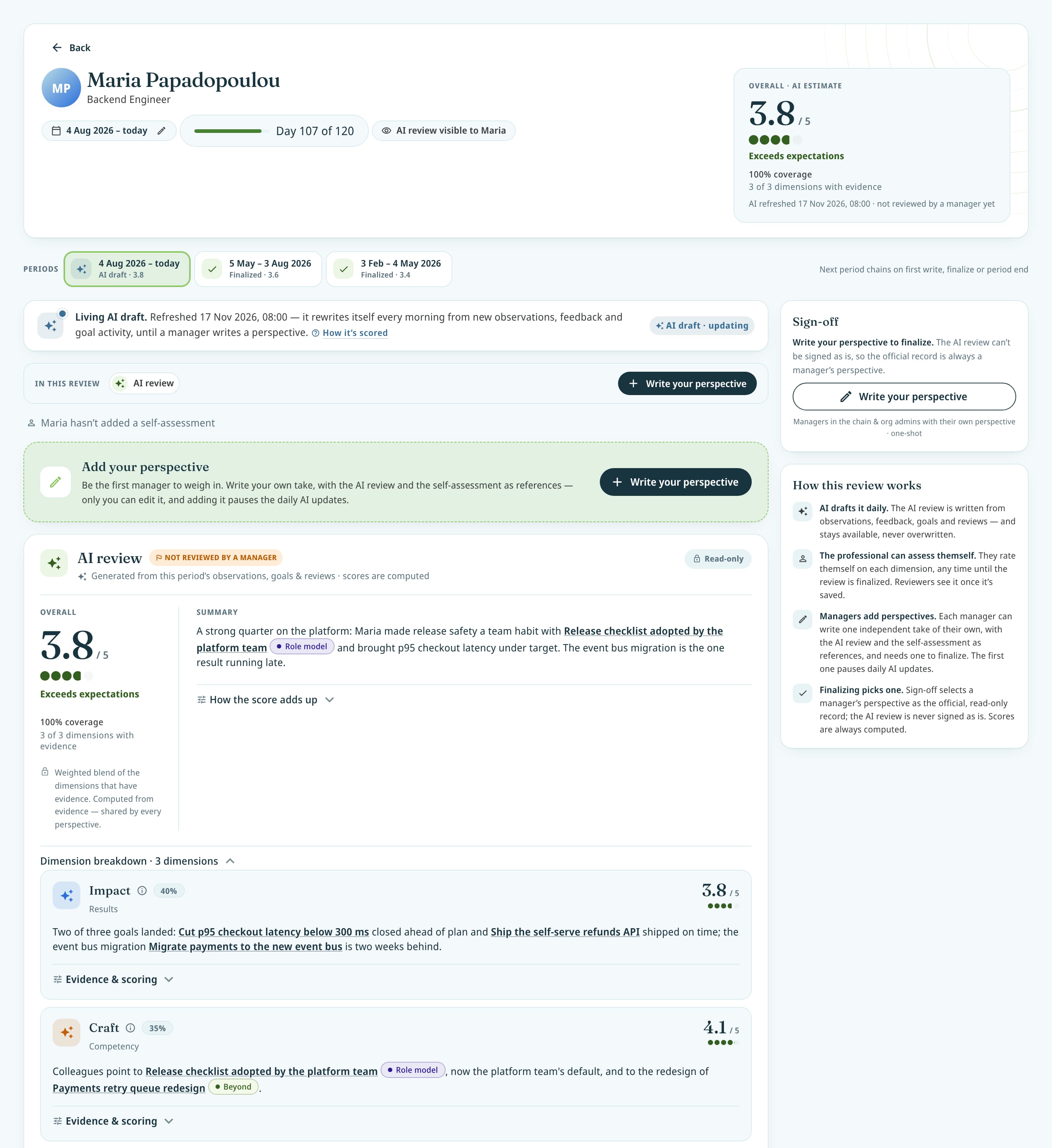
Professionals can now assess their own work in a review, a review can only be finalized with a leader's own signed perspective, and finalized reviews open with a summary.
For leaders
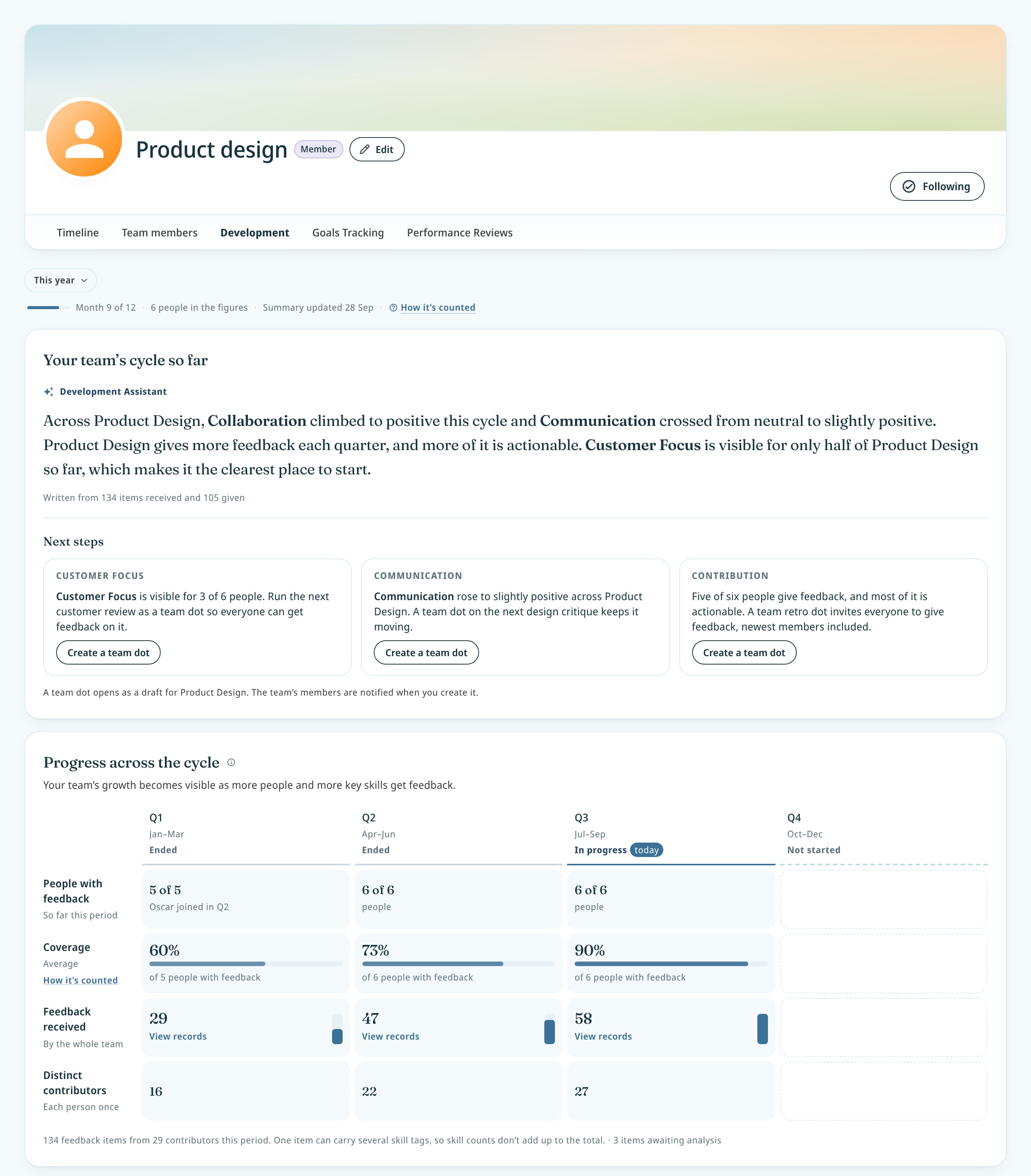
Team leaders get a Development report for their team: how feedback covers its key skills quarter by quarter, who is growing in each skill, and who helps others grow.
For admins
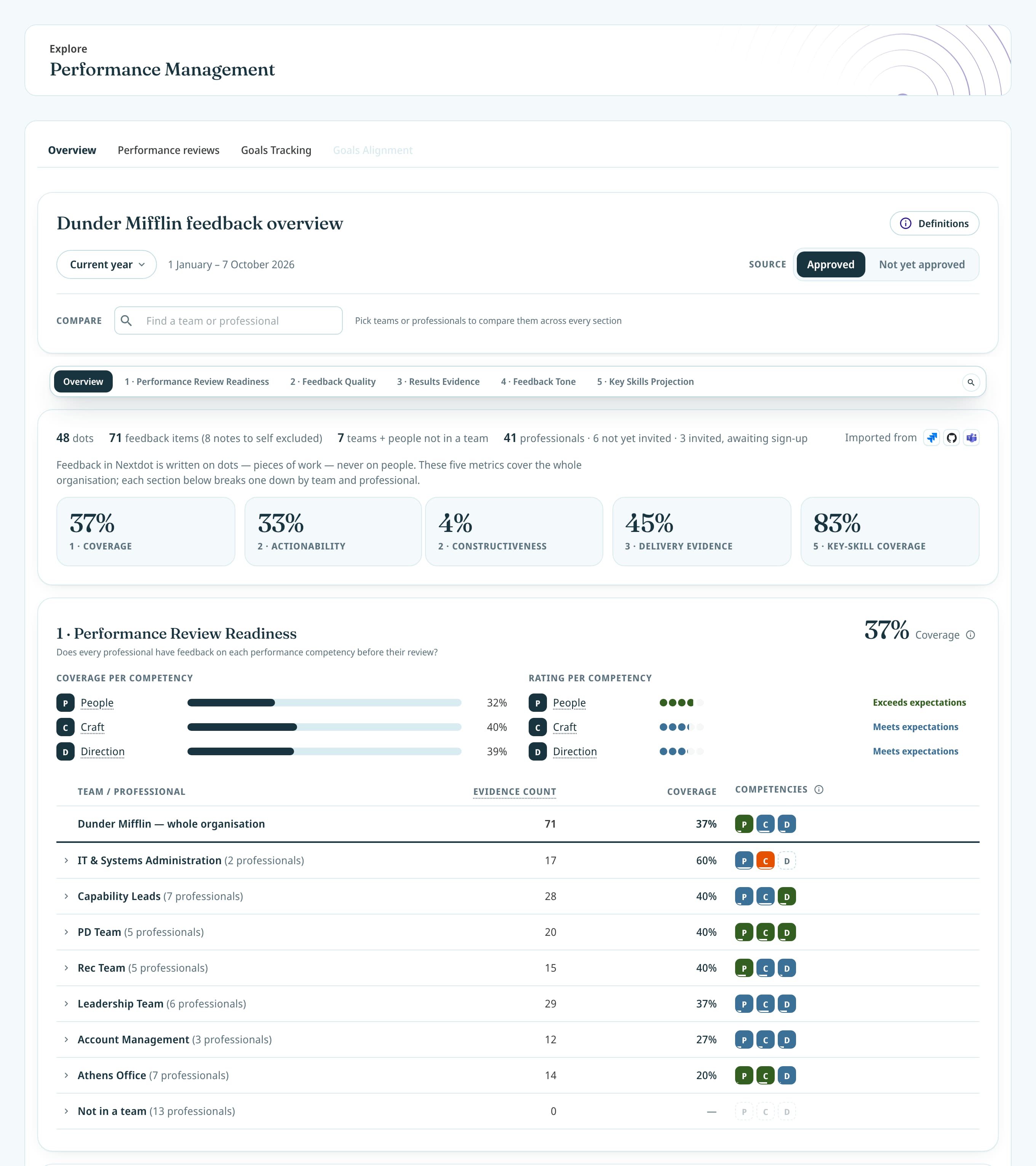
Admins and auditors get one page on the feedback the organization receives: how much there is, how useful it is, its tone, and which key skills it covers, by team and by professional.
For admins
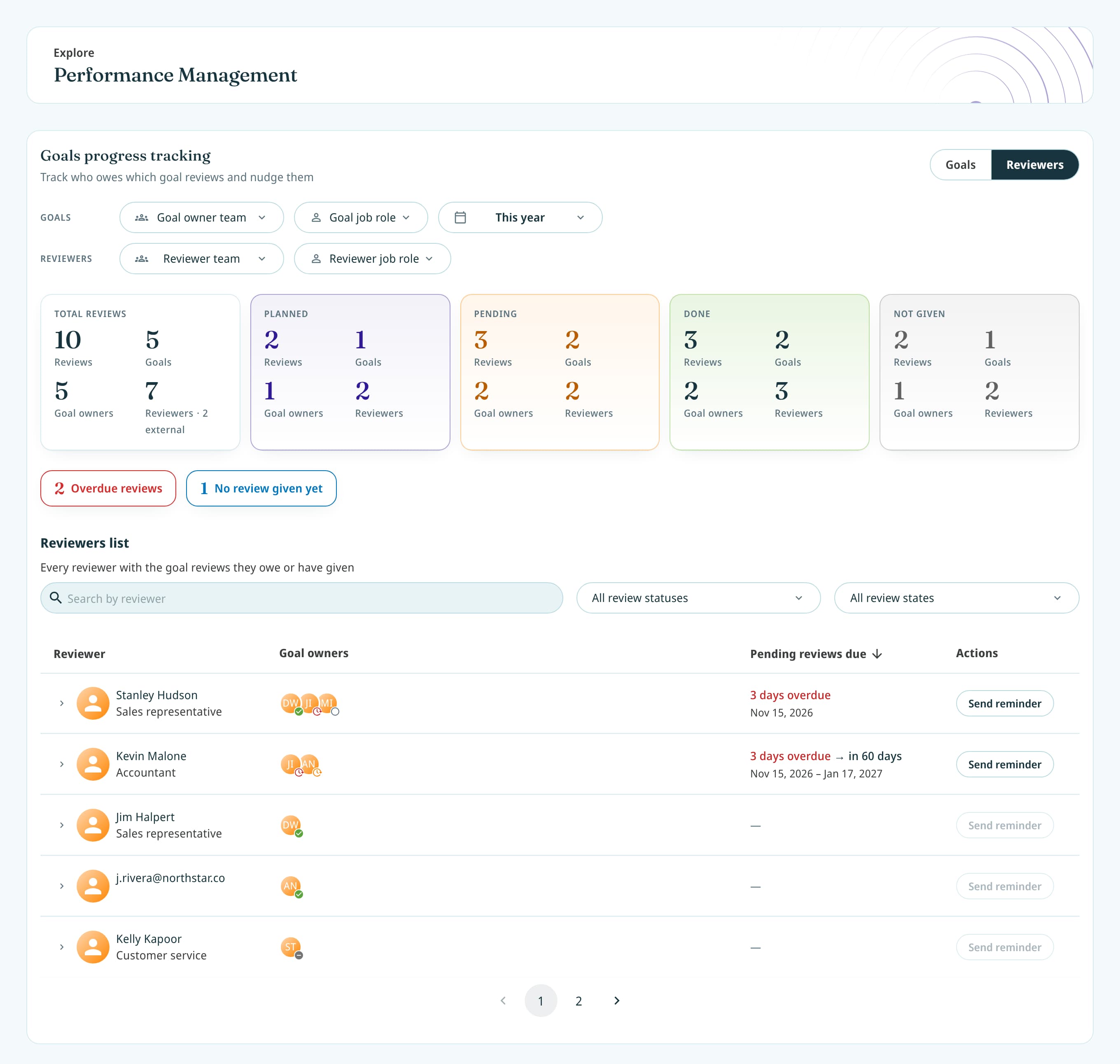
Goals tracking now has a Reviewers view, and one reminder sends a reviewer every goal review they still owe, in a single email.
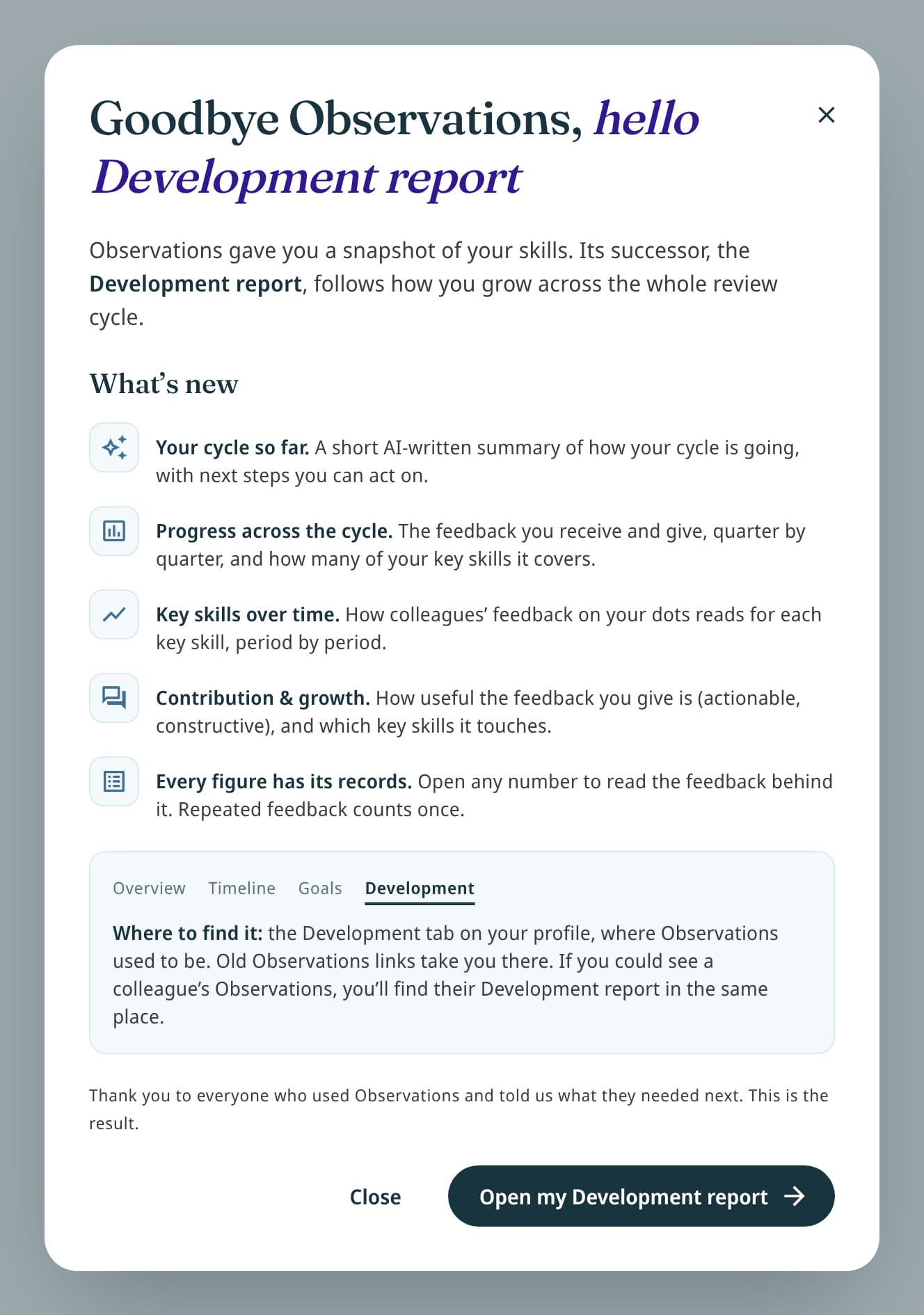
Observations gave you a snapshot of your skills. Its successor, the Development Report, follows how you grow across the whole review cycle.
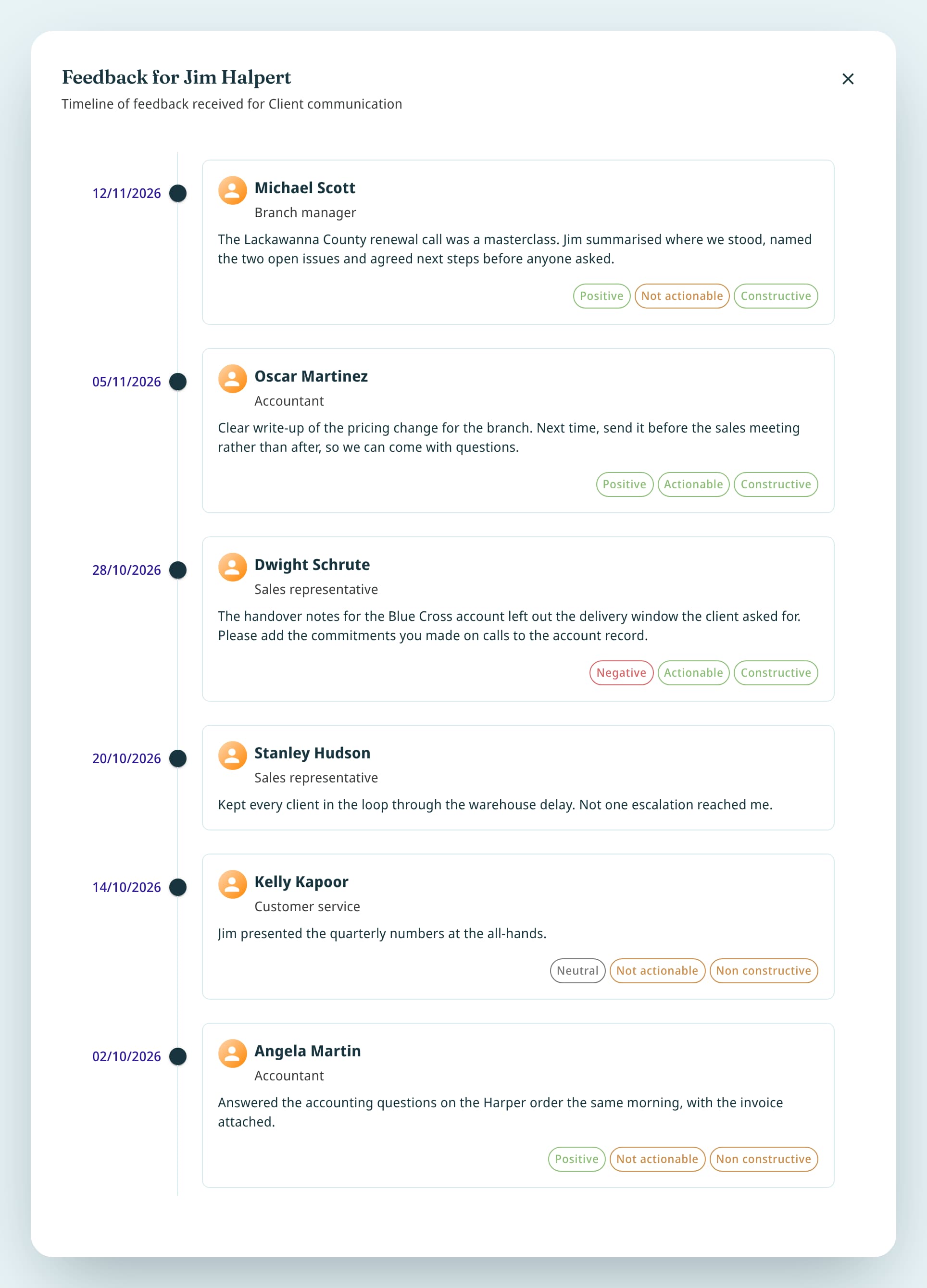
Nextdot now reads each comment for who it is about and whether it is feedback, and shows the tone of every piece of feedback and whether it is actionable and constructive.
For admins
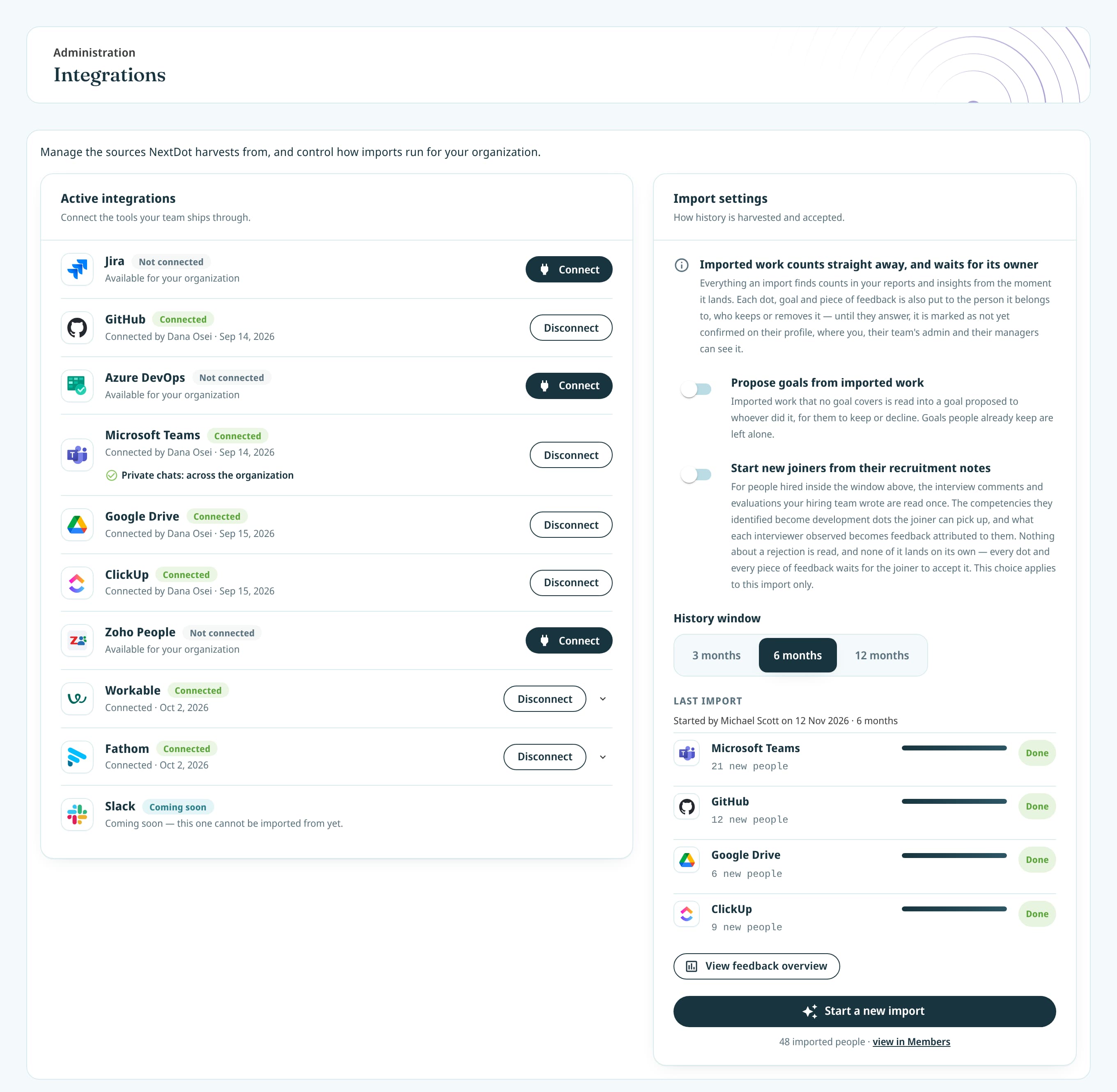
Five new sources join Microsoft Teams, Jira, GitHub and Azure DevOps, and a new IT admin role can look after integrations without access to anything else.
For admins and professionals
Connect the tools your teams work in, and Nextdot imports their history: people, dots, feedback, job roles and proposed goals, ready for the first review.
For admins and professionals
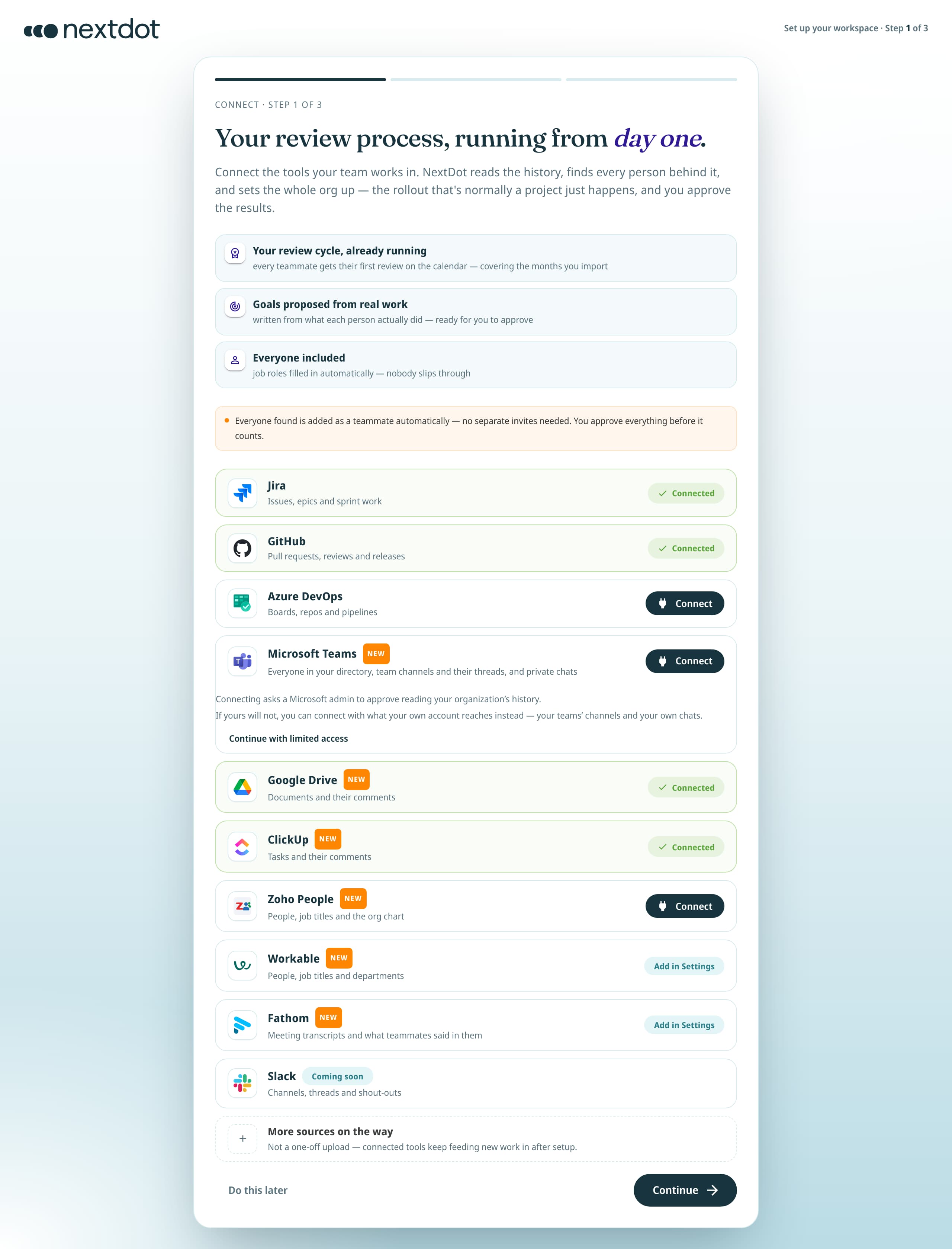
An organization can now choose to share the AI-drafted part of each review with the person it is about, so they see the same evidence their leader sees while the review is in progress.
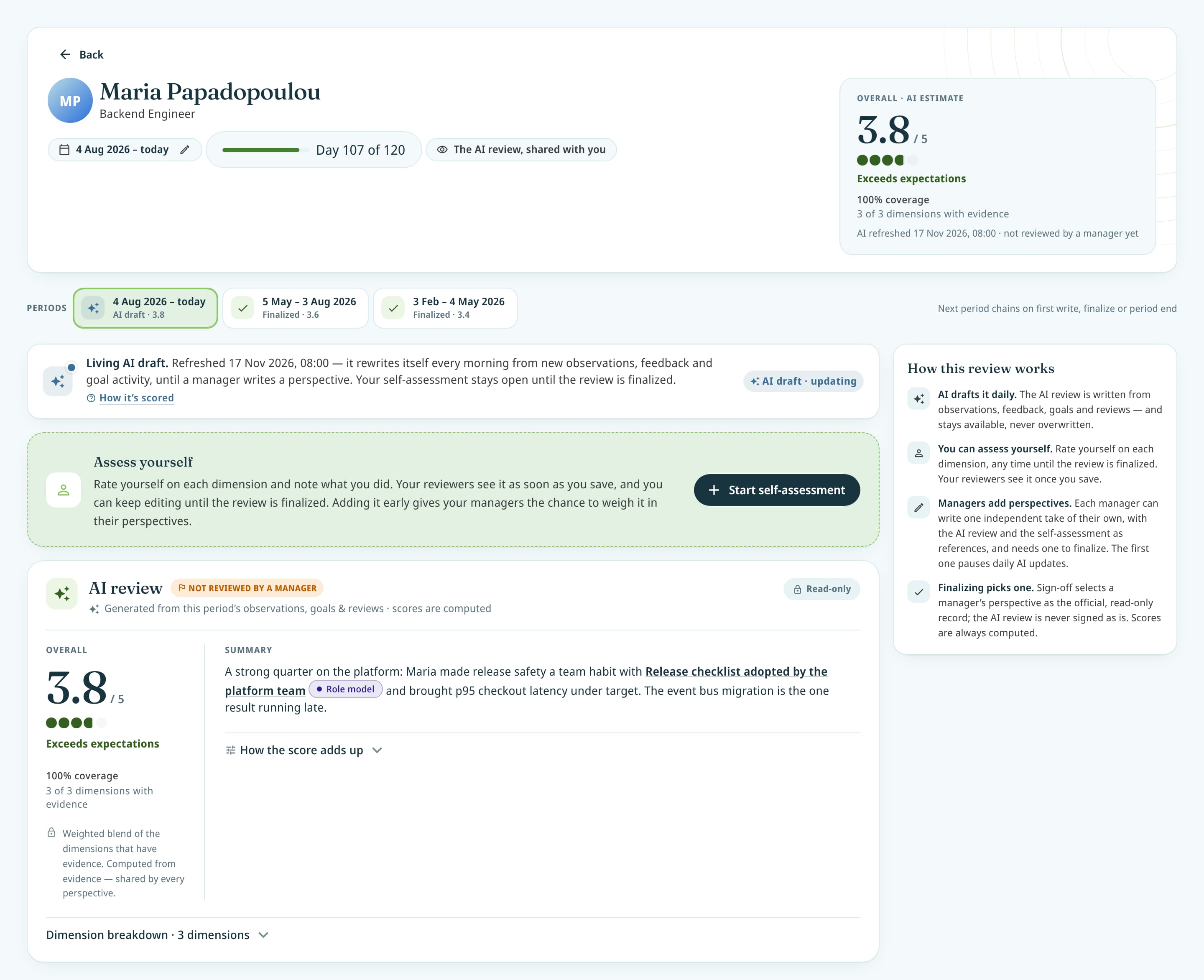
Profiles now open on an overview of the person's work at a glance, and your own profile has a tab listing all the feedback you have given.
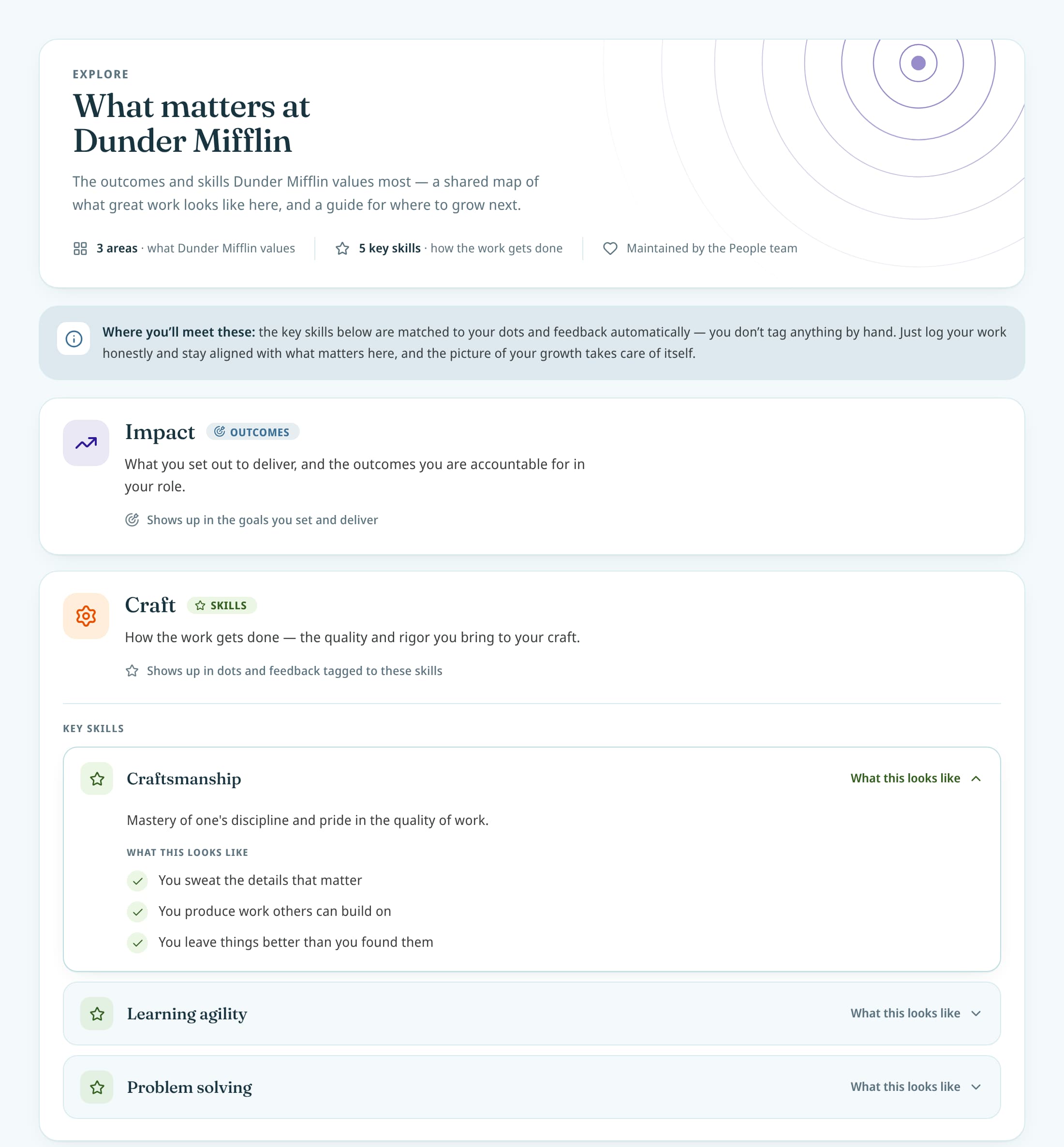
A new page shows every member the outcomes and key skills their organization values, as a shared map of what great work looks like and where to grow next.
For admins
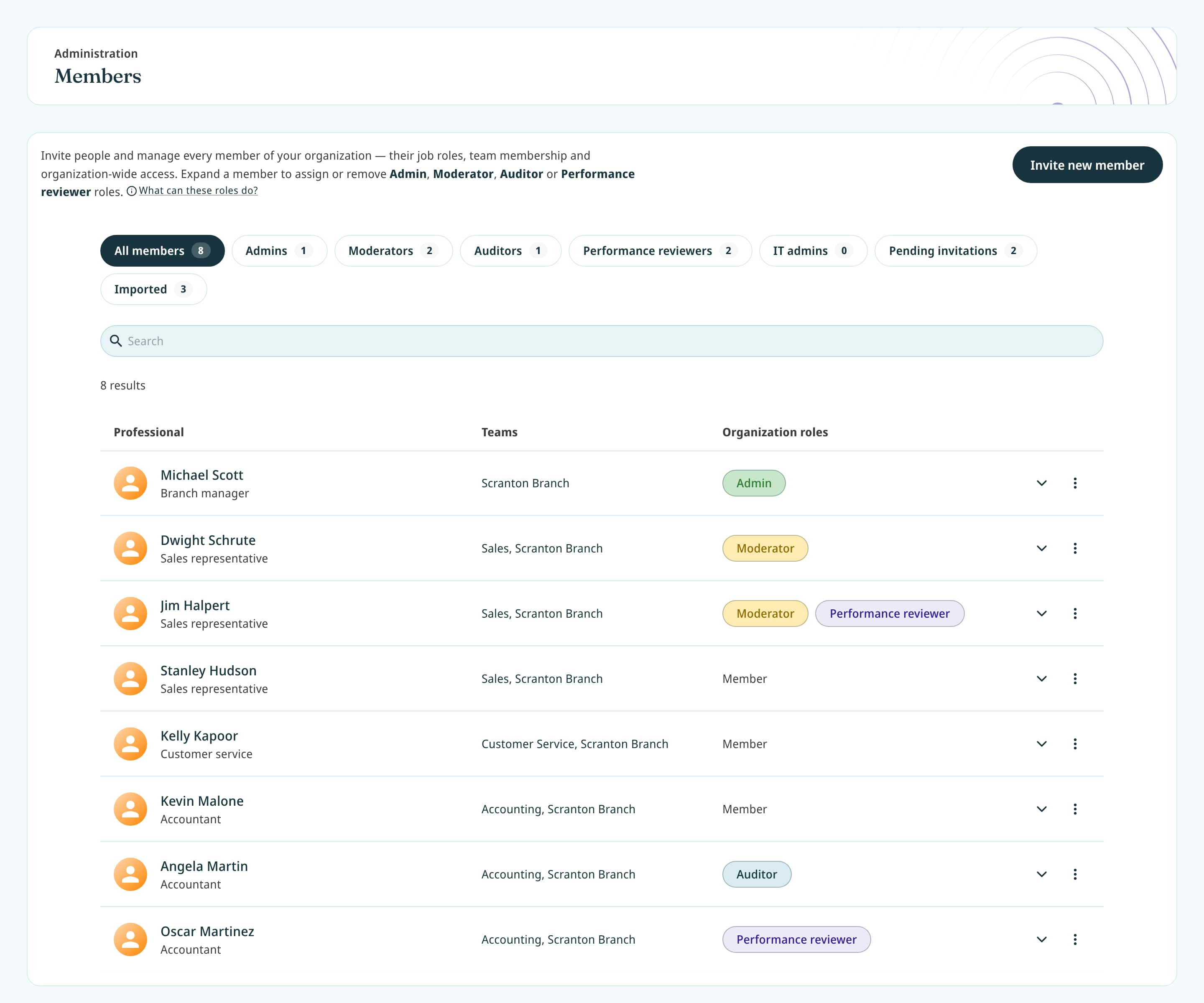
Two new roles give HR and reviewers exactly the access they need, for the whole organization or for a single team, and the Members and Teams pages show every grant.
For leaders and admins
Reviews are now drafted from the evidence, dimension by dimension of your own framework, and a leader adds their own perspective and signs them off.
For admins
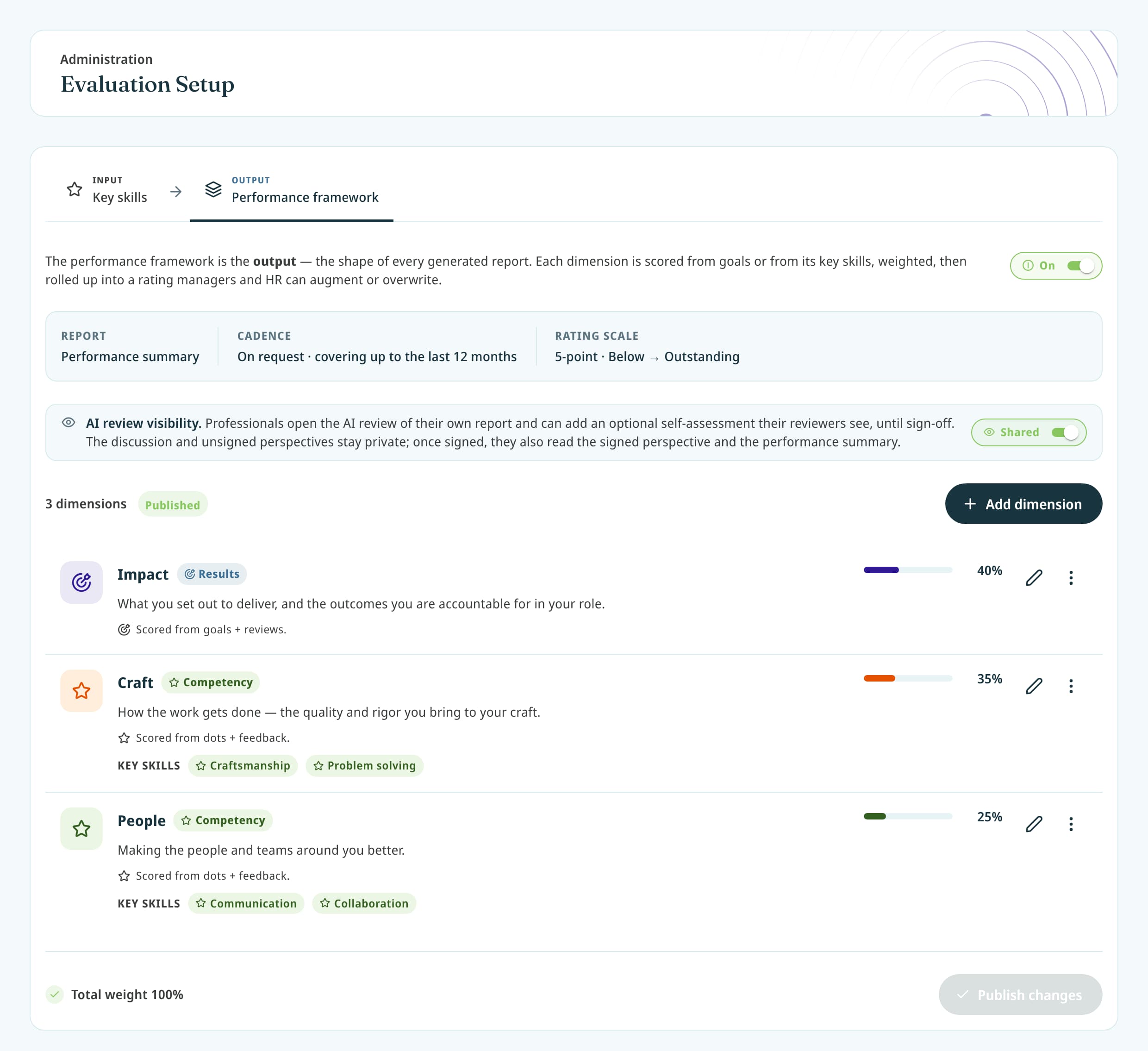
Admins can now define the key skills their organization values, the behaviours behind them, and a weighted framework of dimensions that reviews are scored against.
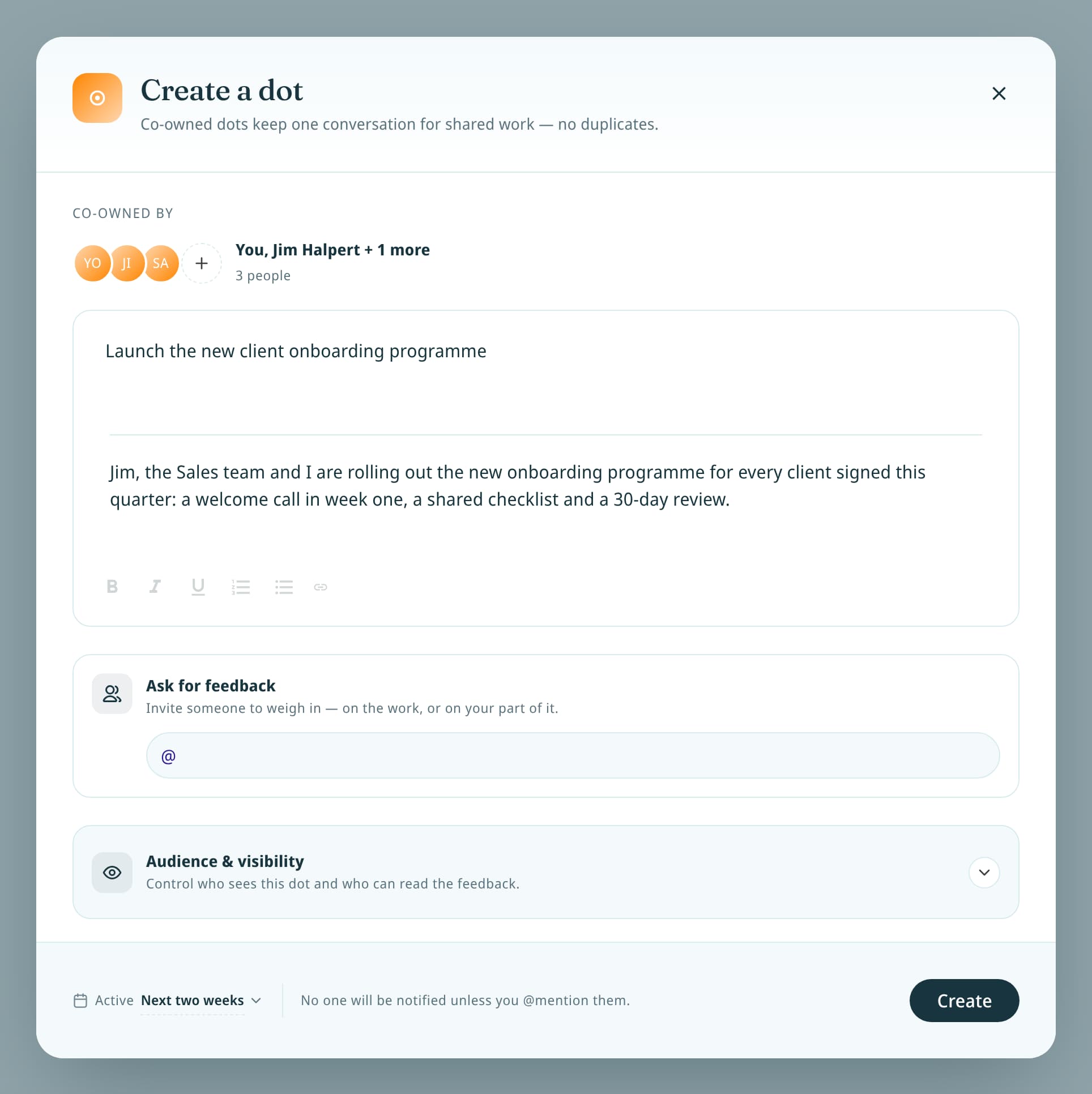
Shared work now has shared owners: add colleagues or whole teams as co-owners of a dot, and the work and its feedback count for every one of them.
For admins
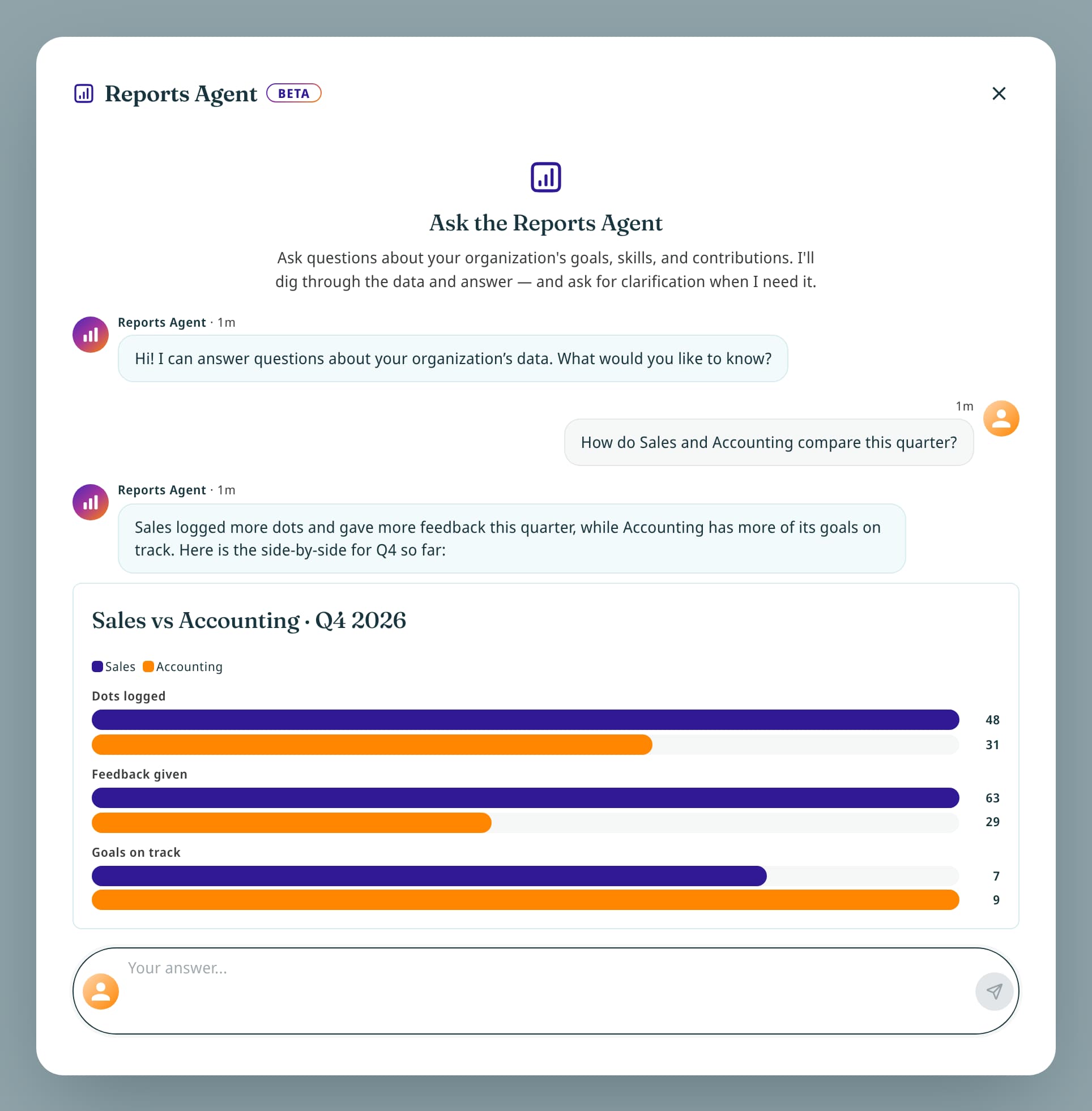
Admins can ask questions about their organization's data in plain language and get answers with charts and tables, ready to export.
For leaders and admins
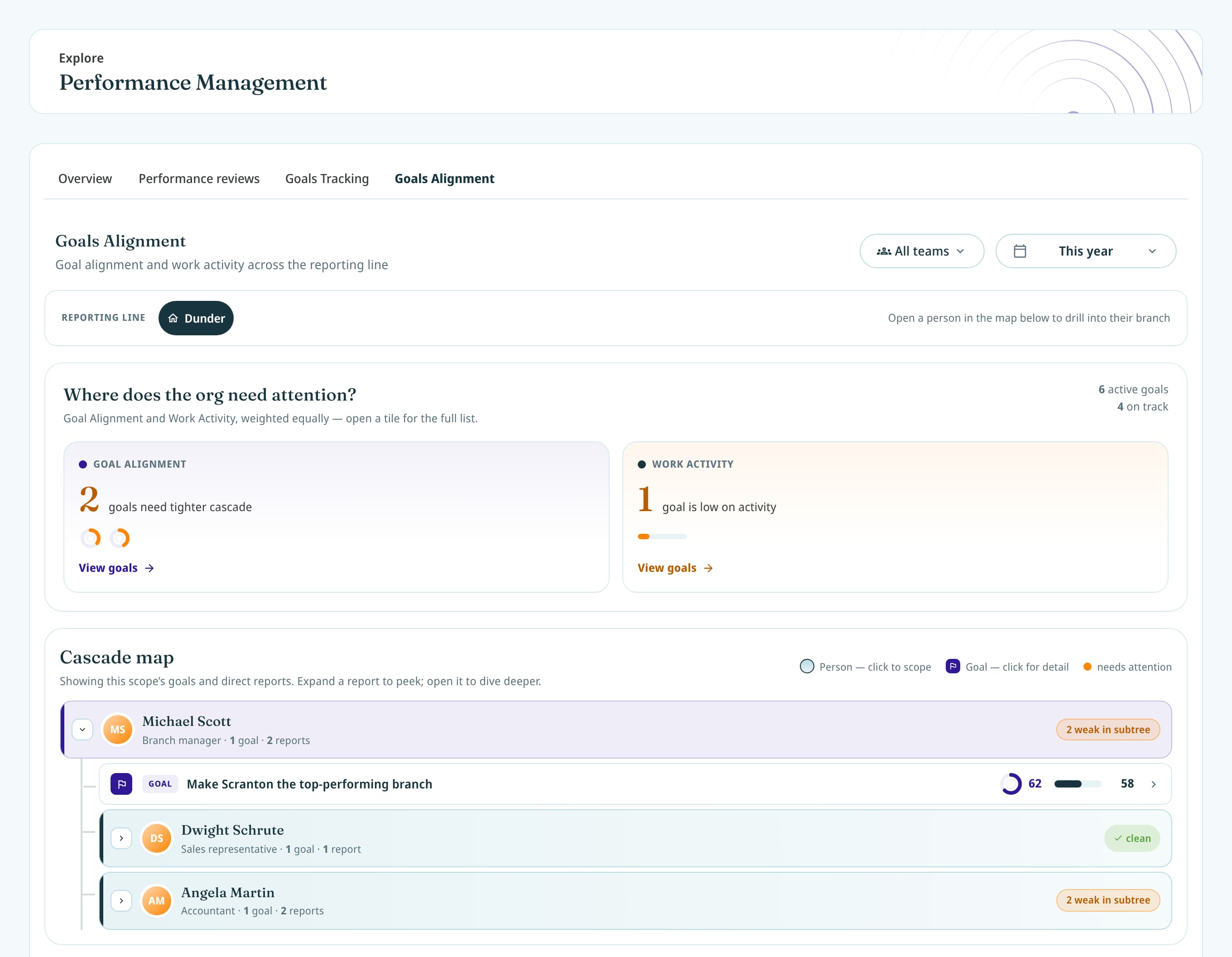
A Goals alignment view shows how each leader's goals carry down the reporting line, and where alignment or activity is weak enough to need attention.
For admins
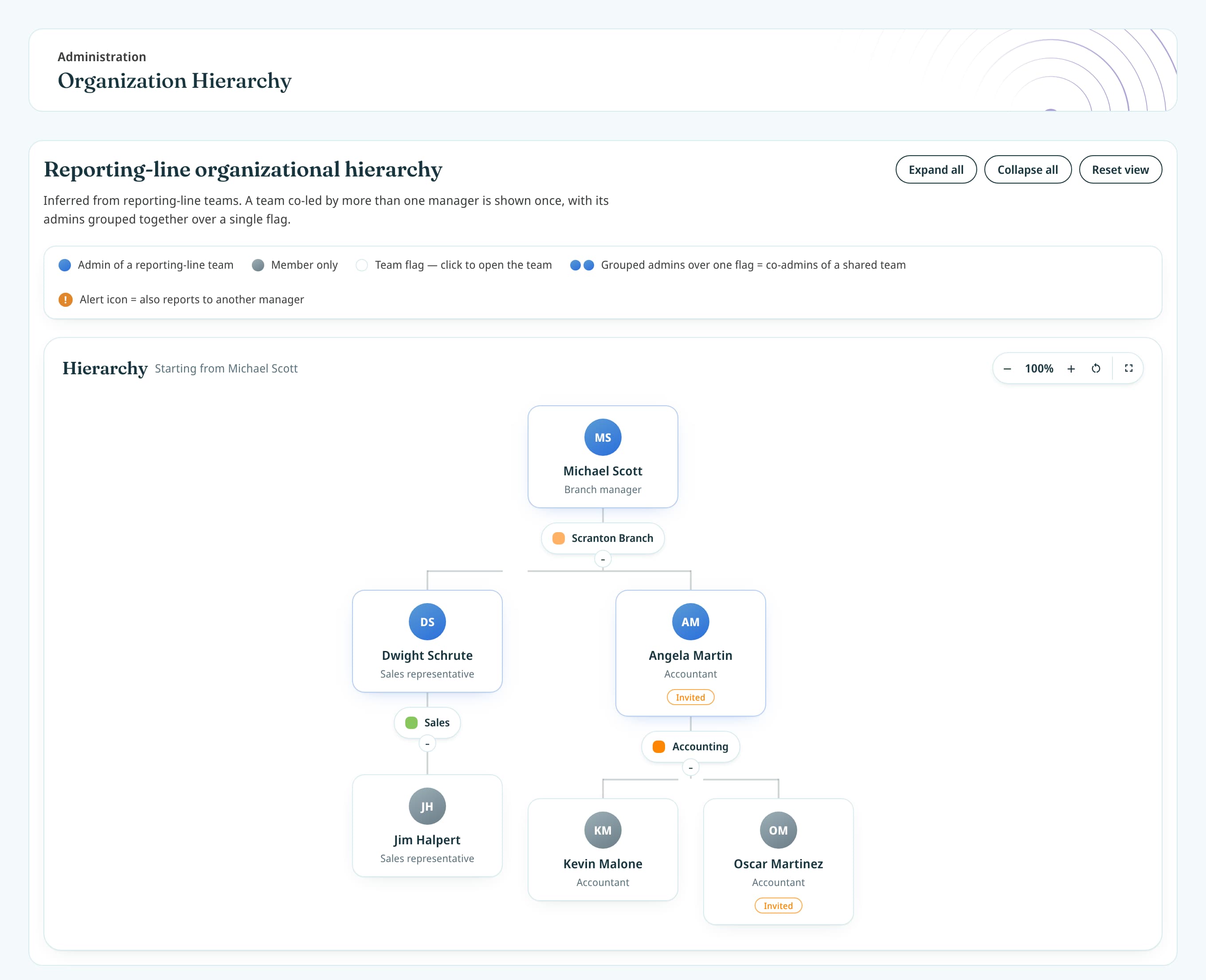
Admins get a chart of the organization built from its reporting-line teams: who leads which team, who is in it, and who has not joined yet.
For professionals
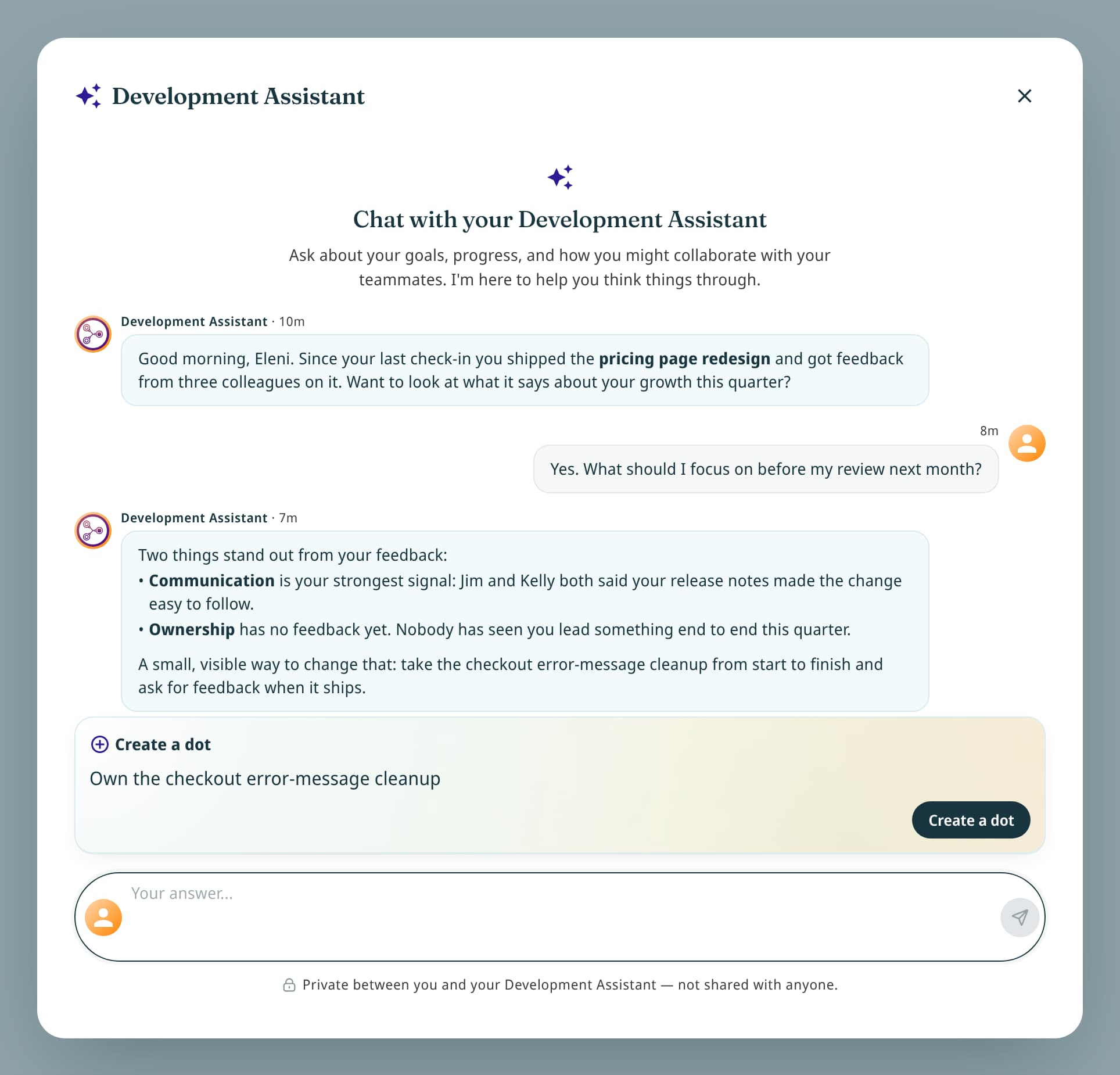
Ask the Development Assistant what to focus on next. It reads your recent work and feedback, and only you see the conversation.
For leaders and admins
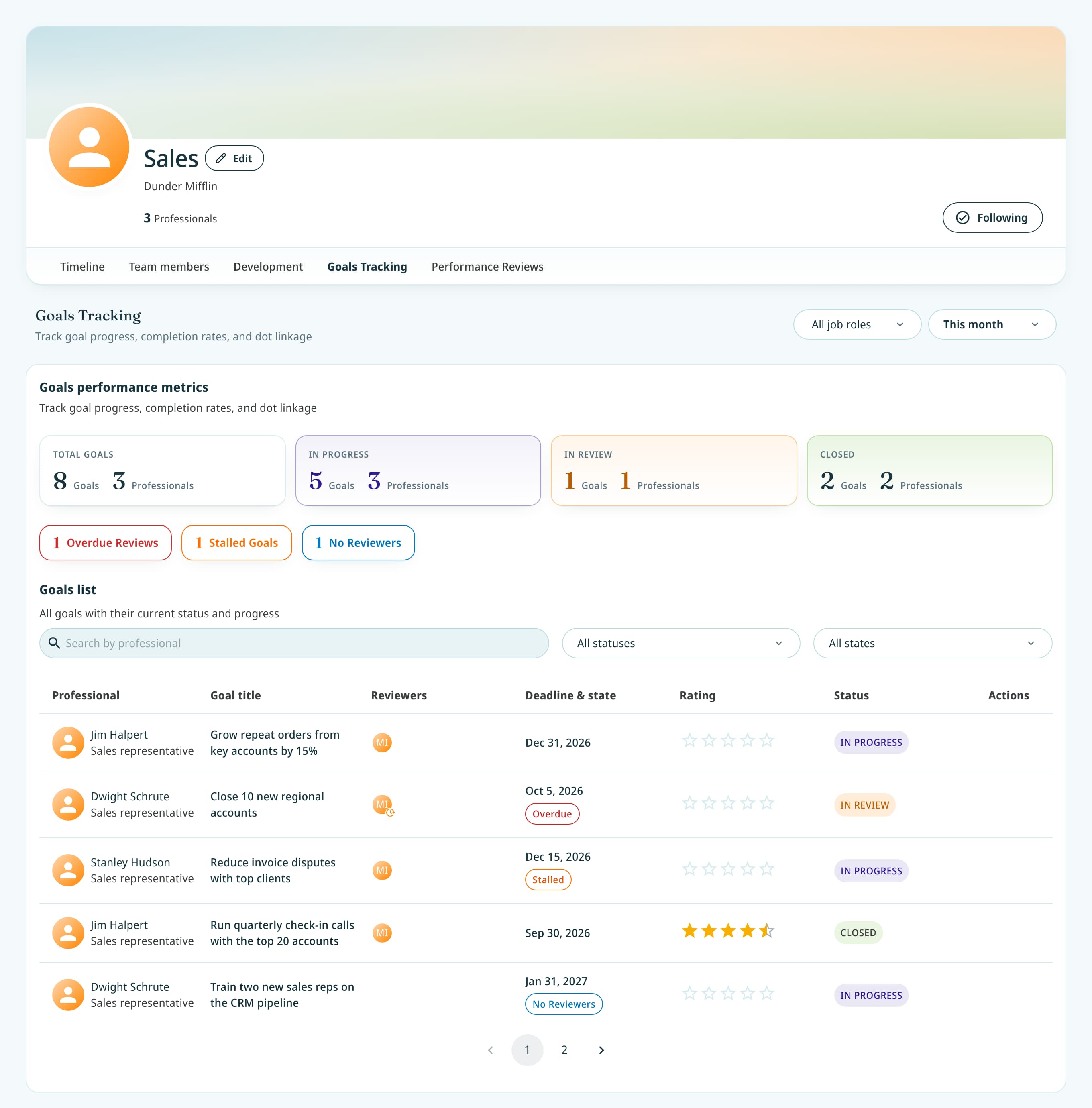
Team admins get a Goals tracking tab on their team's page, and proposed goals and dots now show where they stand and why one was declined.
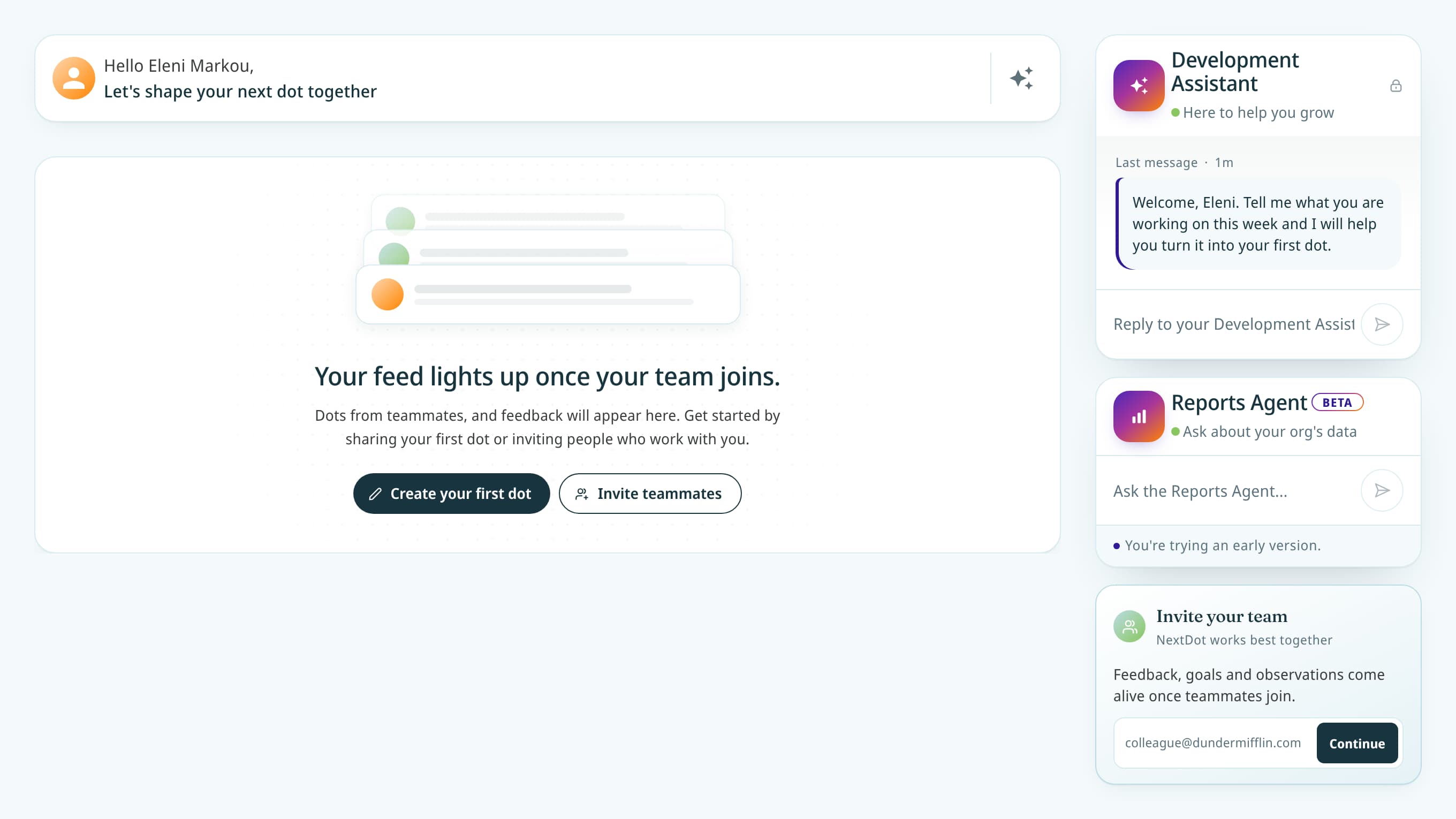
Setting up an organization now starts with a free trial instead of a checkout, inviting the team can wait, and the first home page shows where to begin.
Follow these updates by RSS or JSON Feed, or join the newsletter.