What's new
A weekly digest of what is waiting on you
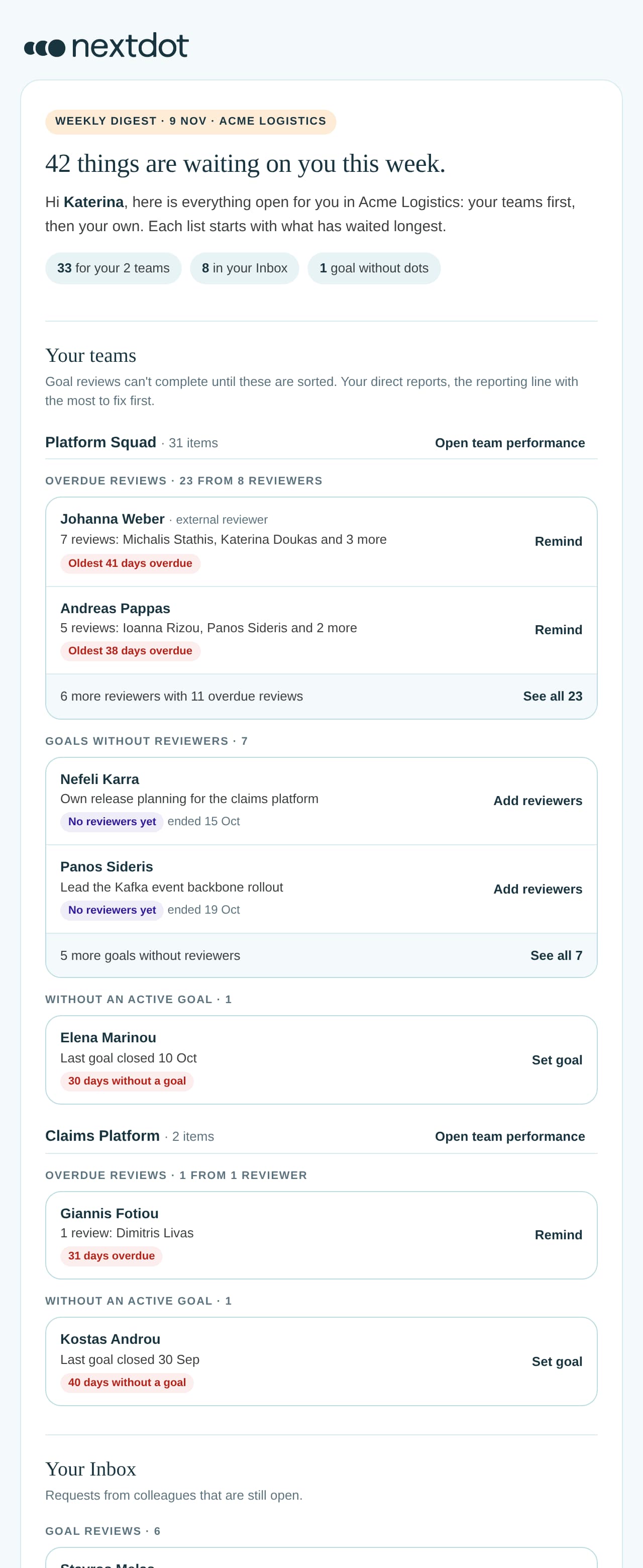
One email lists your open Inbox requests and your goals without dots and, if you lead a team, what is holding up your direct reports' goals. It is sent only when there is something to do.
What it covers
- Your Inbox. The goal reviews, goal approvals and feedback that are waiting on you.
- Your goals. The goals that have no dotsDot: Work worth talking about — time-bound, owned by whoever's doing it, open for conversation while it happens. against them yet.
- Your team, if you lead one. Goal reviews that are overdue and who owes them, goals without reviewers, and direct reports without an active goal.
When it arrives
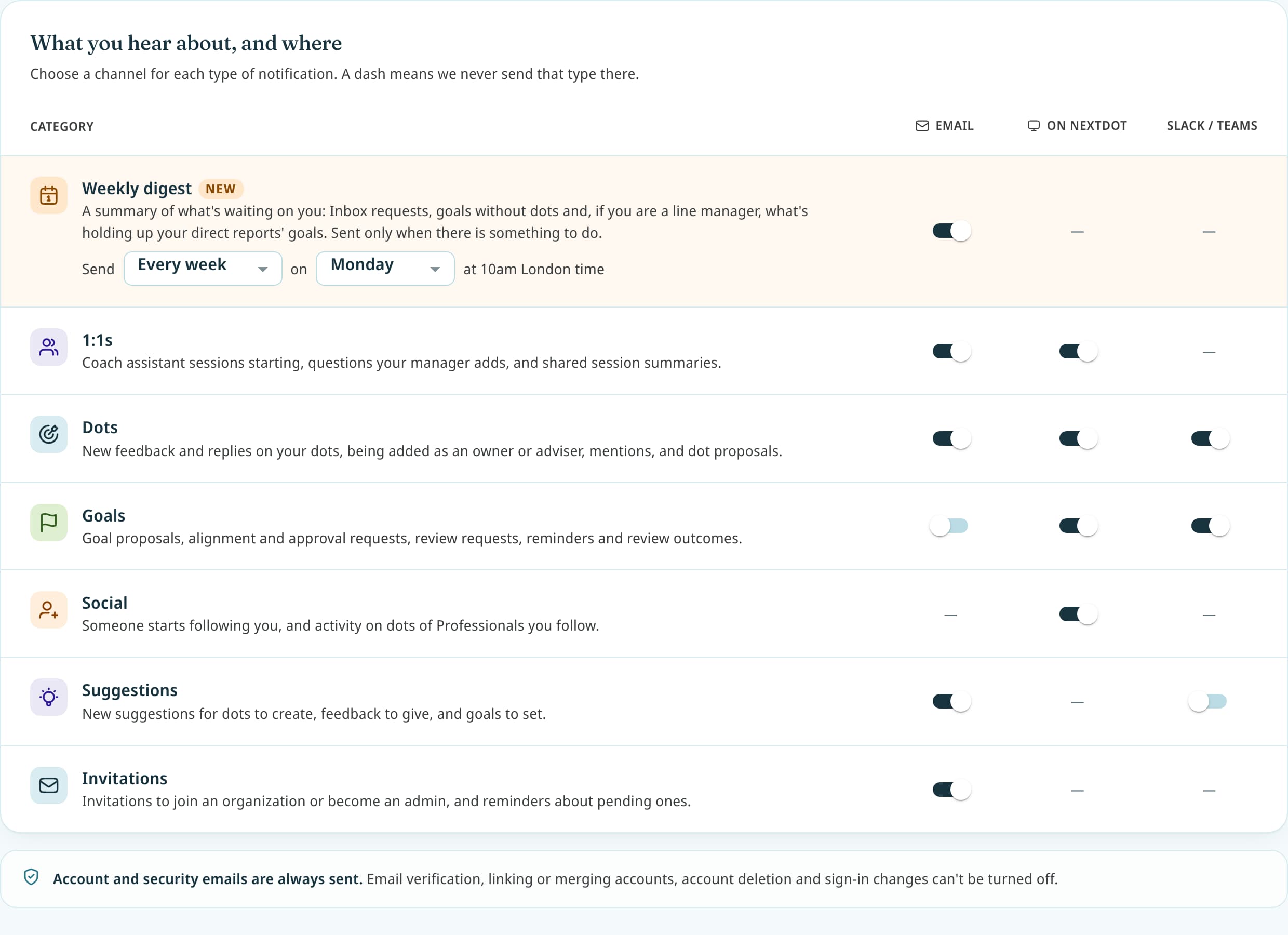
Every week, every 2 weeks or every 4 weeks, on the weekday you choose, at 10am in your own time zone. When nothing is waiting, no email is sent.
One switch per category and channel
Notification settings now list each category on its own row: 1:1s, dots, goals, social, suggestions and invitations. Each row has a switch for every channel the category is sent on: email, Nextdot itself, and Slack or Microsoft Teams. The weekly digest has its own row, where you turn it off or change its schedule.