What's new
Export reports to Excel and PDF
Reporting pages now export what they show, with the filters you set: tables to Excel with every matching row, and the other reports to a PDF laid out for print.
Tables to Excel
Tables export to an Excel workbook that follows the filters, search and sort on screen, and holds every matching row, not only the page in view.
- Goals tracking and goal reviewers in Performance management, with a second sheet that lists each goal review.
- Performance reviews across the organization.
- A team's goals and performance reviews, on the team's page.
- Your own goals, on your profile.
Reports to PDF
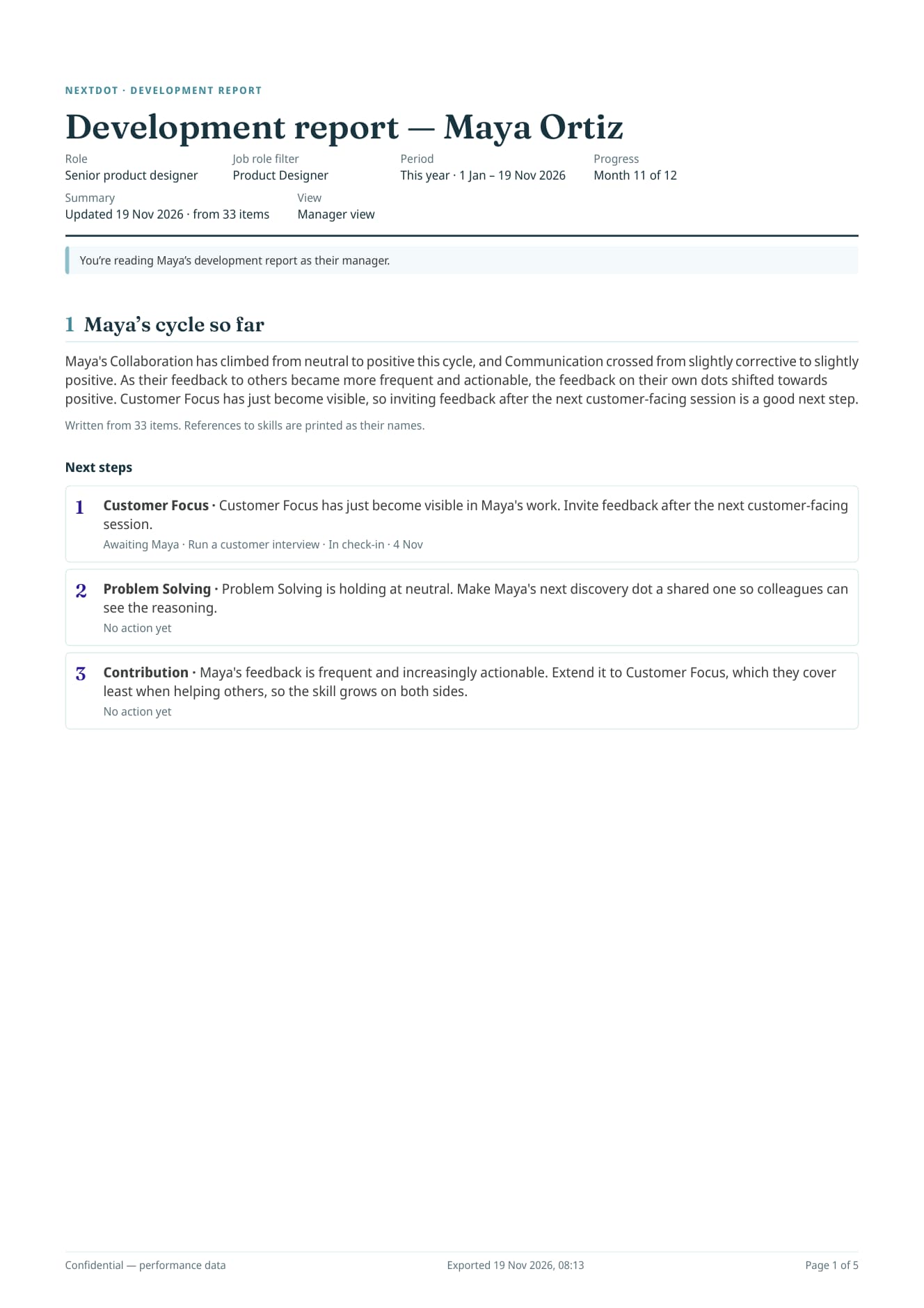
Reports export to an A4 PDF laid out for print: the feedback overview, goals alignment in Performance management and on a team's page, the development report of a professional and of a team, the performance reviews timeline, and each performance review.
The PDF holds what the screen keeps folded away, paged or in tooltips, such as every team and professional in the feedback overview, every goal's key results and reasoning in goals alignment, and every dimension's evidence in a review. Each section starts where it fits on the page.
An export shows only what the page shows you: a professional's copy of their own review leaves out what they can't see on screen, such as the discussion.
And a few more
- An export with more than 10,000 rows holds the first 10,000 and says so, so you can narrow the filters.
- A long export shows its progress on the button.
- Each file is named after the report and the day it was exported.