What's new
Ask your people with recurring or one-off surveys
Admins and moderators can now run surveys: once or on a repeat, for everyone or chosen teams, named or anonymous. Each cycle opens, reminds and closes on its own.
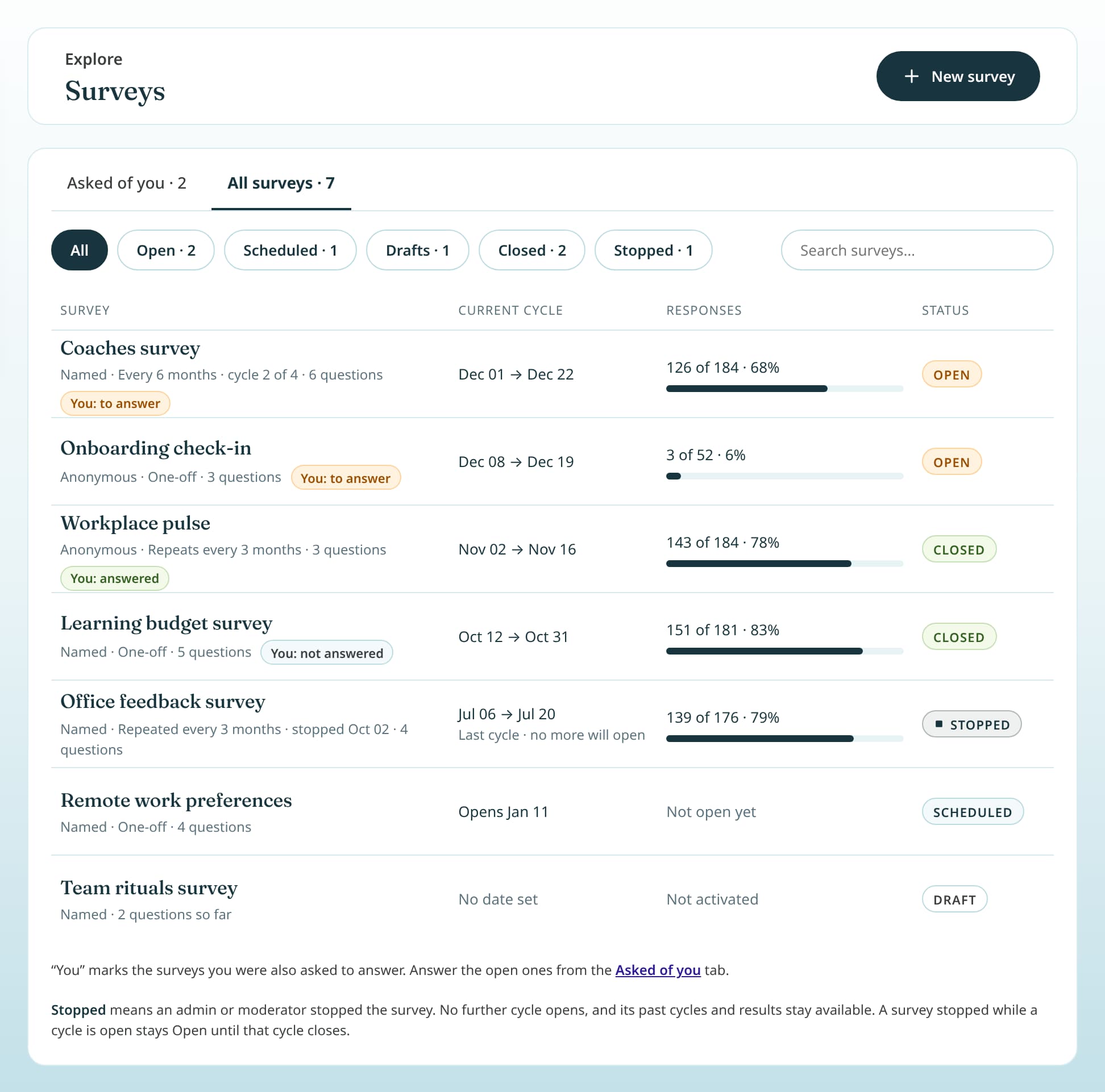
Set up once
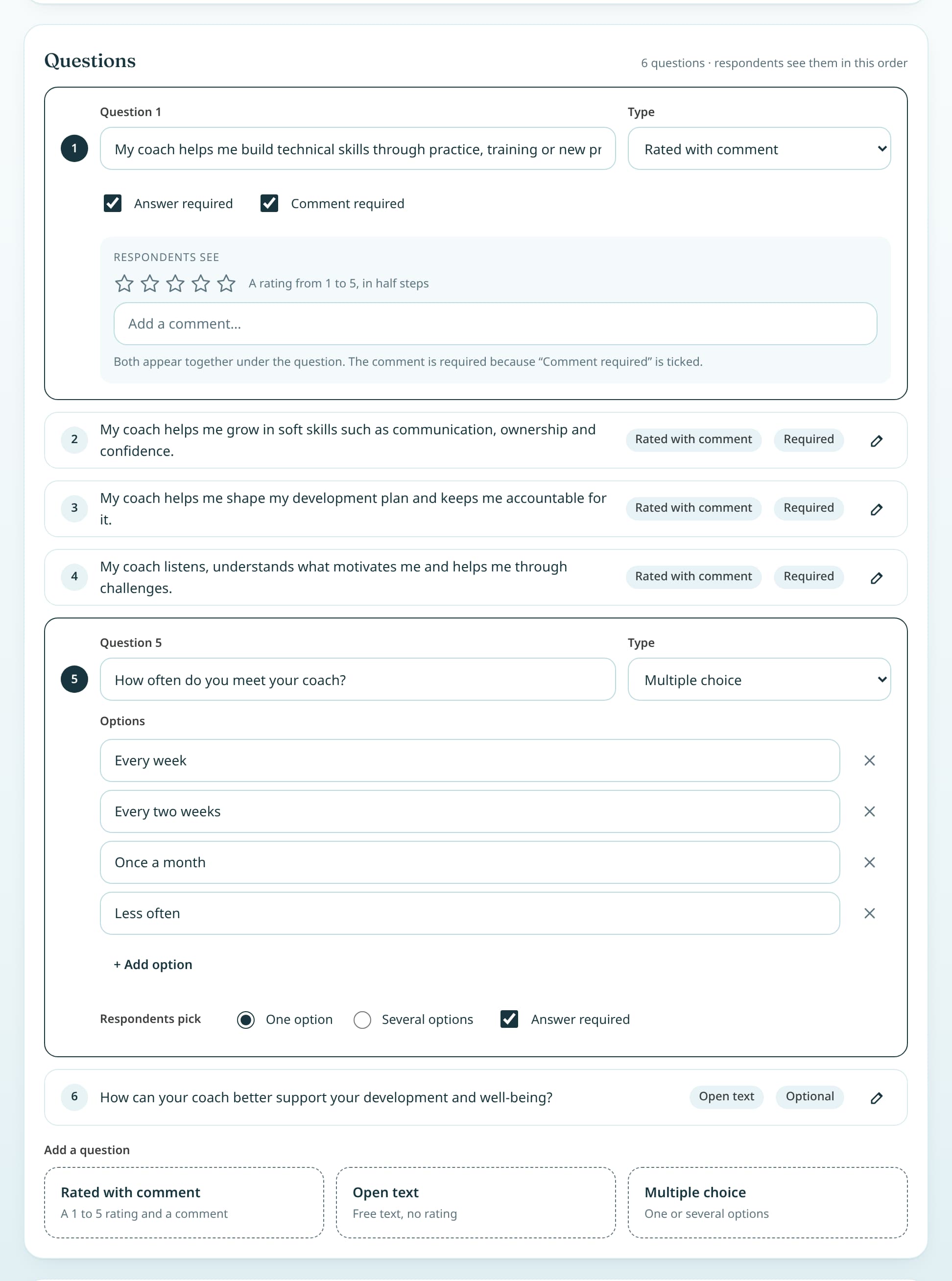
A survey has a title, an introduction and its questions: a 1 to 5 rating with a comment, open text, or multiple choice. It runs once, or repeats every few months for a set number of cycles. Each cycle opens on its date, reminds the people who have not answered, and closes by itself.
Ask everyone, or selected teams and professionals, and leave out the ones who should not be asked. The form shows how many people that is before the survey is activated, and a preview shows it as respondents will see it.
Named or anonymous
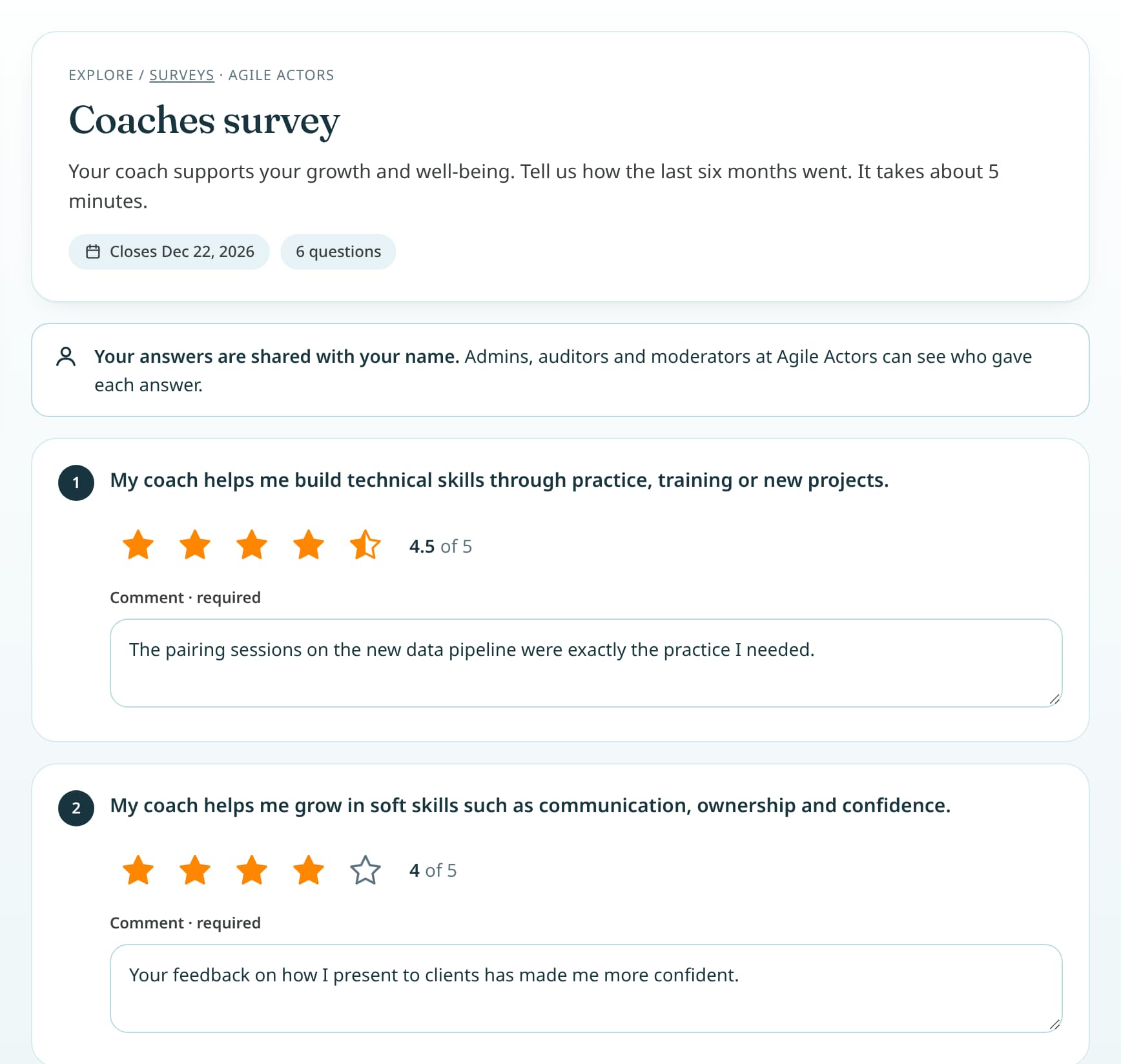
Each survey is named or anonymous, and people are told which in the invitation and at the top of the answer page. On an anonymous survey no name is shown with an answer, nobody sees who has answered, and results appear only once five responses are in.
Answering
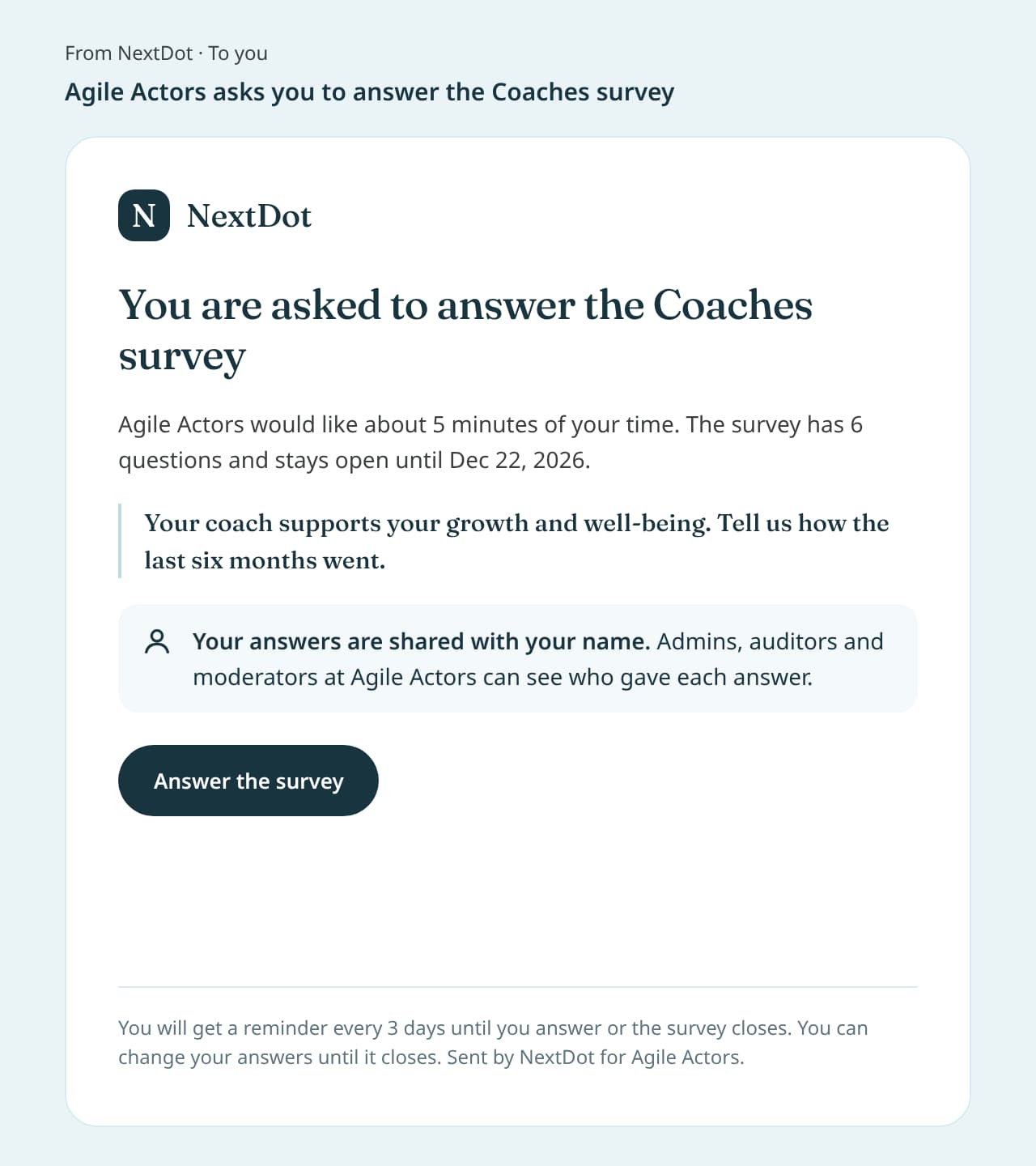
Invitations arrive by email and as a task in the Nextdot inbox, with reminders until the person answers. Answers can be changed until the survey closes, and read afterwards.
Results
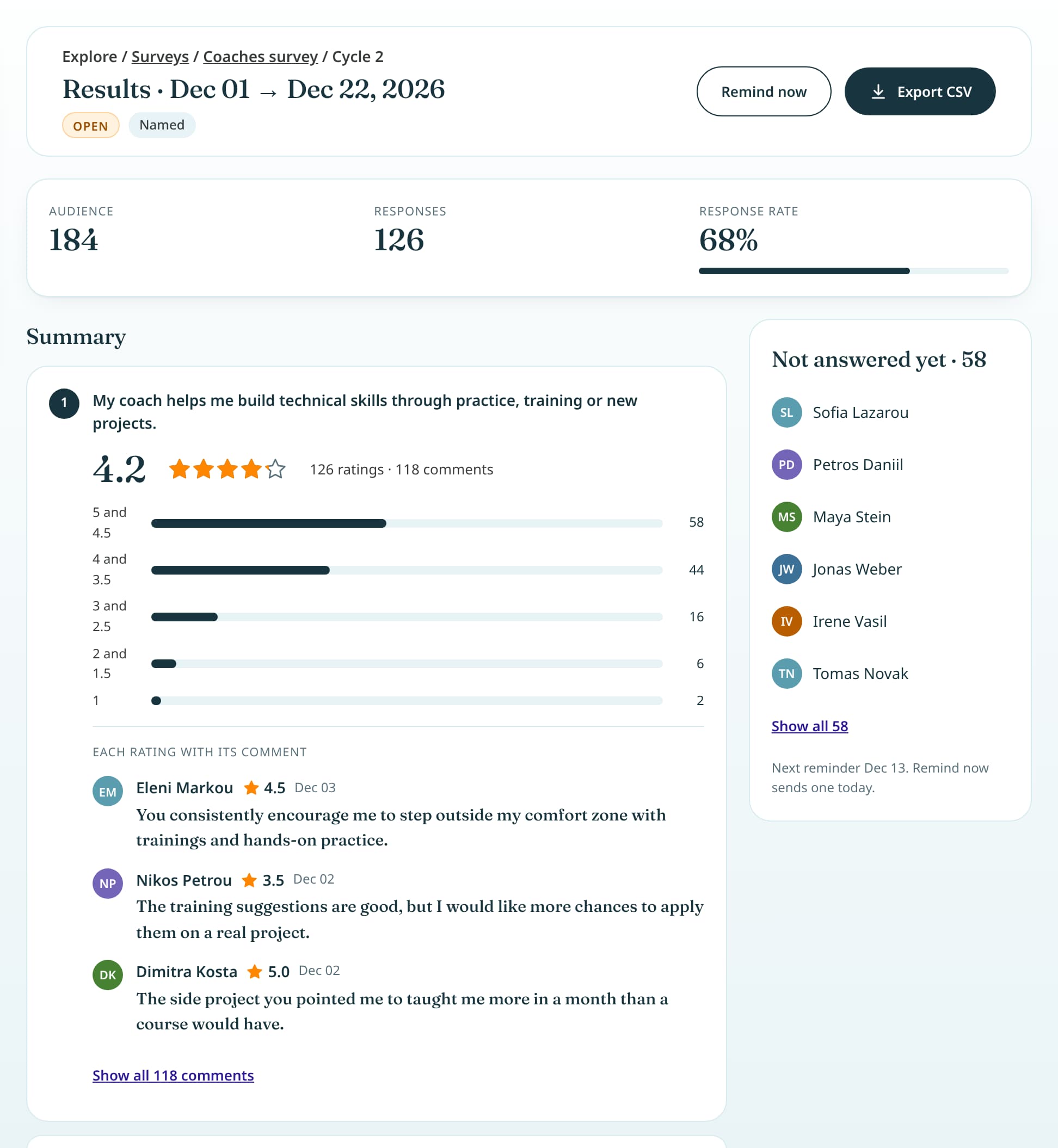
- Response progress for each cycle, as a number and a percentage.
- A summary per question: average and spread for ratings, a count per option, and every comment.
- Any single response in full, and a CSV export of every answer.
- On a named survey, who has not answered yet, and a reminder sent with one click.
Survey answers never enter a performance evaluation.
And a few more
- Organization auditors read every survey's results without setting surveys up.
- Admins can switch Surveys off for the whole organization in Settings › Features.
- Feedback on a dot can now be given anonymously.