Product · Engage
Read every answer, and report on the questions that matter to you
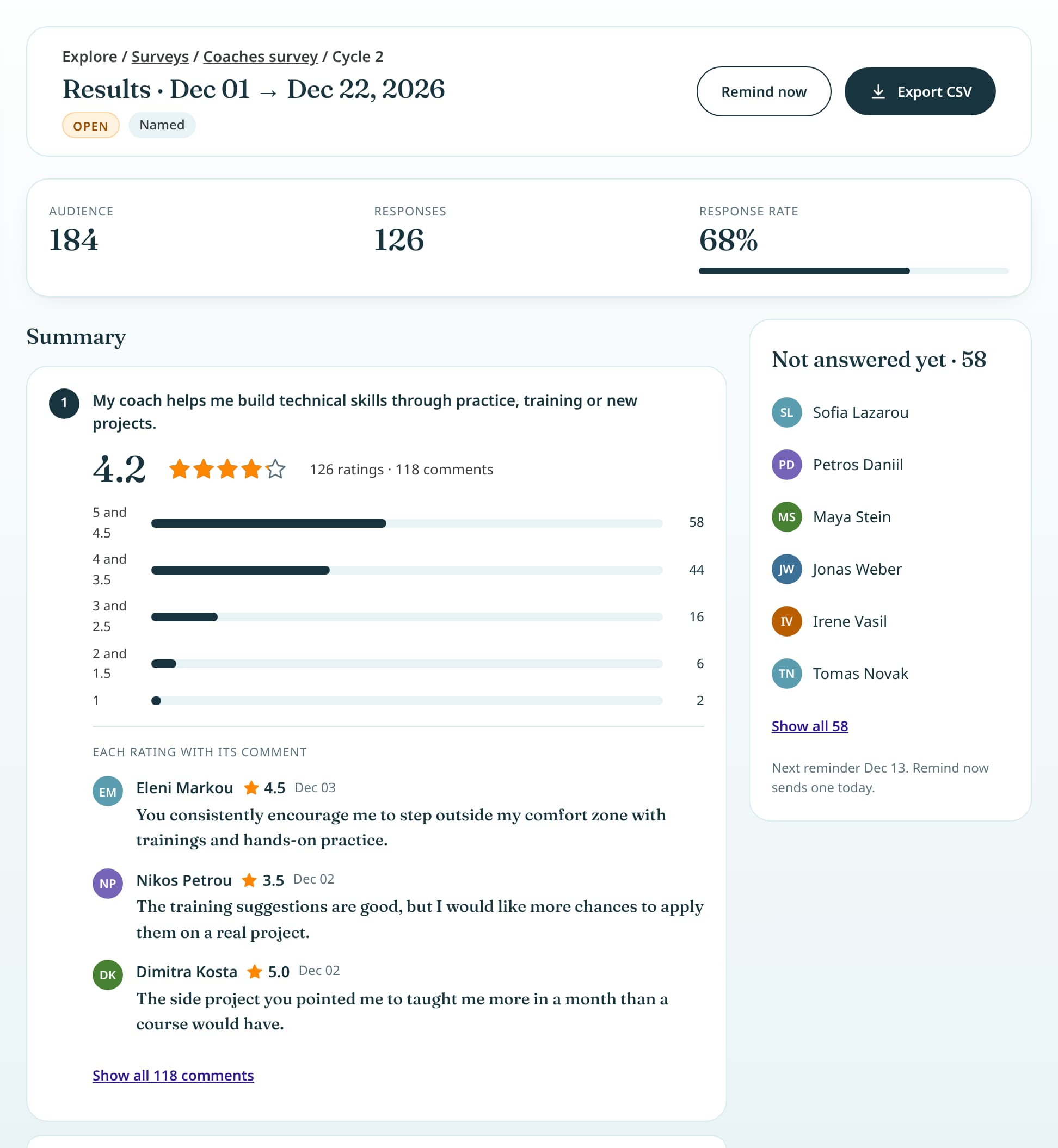
Each cycle shows its progress and a summary per question with every comment. Reports aggregate the questions you choose; no fixed score is imposed.
Today, and with Nextdot
Today
Survey results arrive as a spreadsheet that someone has to turn into a report.
With Nextdot
Results are summarised per question, and reports are built from the questions you pick.
What it does
Response progress
How many people were asked and how many answered, as a number and a percentage.
A summary per question
Average and spread for ratings, a count per option for multiple choice, and every open answer.
Every comment with its rating
Each rating is listed with its comment, and any single response opens in full.
Who has not answered
On a named survey, see who has not answered yet, and send a reminder now.
CSV export
One row per response and question, ready for your own analysis.
Reports you define
Choose the questions a report brings together, and their answers are aggregated.
No fixed indicators
You decide what to measure; Nextdot imposes no fixed score or set of indicators.
The right readers
Organization admins, moderators and auditors read results; each respondent reads only their own answers.
What each side gets
For the organization
Results in a form you can act on, measured the way you choose.
For the person
Your answers inform the organization and never enter your evaluation.
Security and privacy
- Infrastructure is in the EU.
- Nextdot is ISO 27001 certified.
- No model is trained on customer data.
- Imported work is anonymous until claimed, and identities of people not yet invited are hidden from admins.
FAQ: Questions, answered
More in the FAQ.
What does a survey report measure?
What you choose. A report aggregates the answers to the questions you pick; Nextdot does not impose a fixed set of indicators.
Who sees survey results?
Organization admins, moderators and auditors, with names on named surveys only. Each respondent can read their own answers.
Can we export the answers?
Yes. The CSV export has one row per response and question. On an anonymous survey it carries no names and no response times.
Do survey answers affect performance evaluations?
No. Survey answers never enter a performance evaluation.
What's new: Recent updates
Every update is in What's new.
- Ask your people with recurring or one-off surveys
Admins and moderators can now run surveys: once or on a repeat, for everyone or chosen teams, named or anonymous. Each cycle opens, reminds and closes on its own.
Where to next
The best way to see it is on your own data
Happy to show it running on one team's tools — twelve months of work, your framework, your people.