Teams · IT and security
What is connected, what is read, where it is processed, who sees what
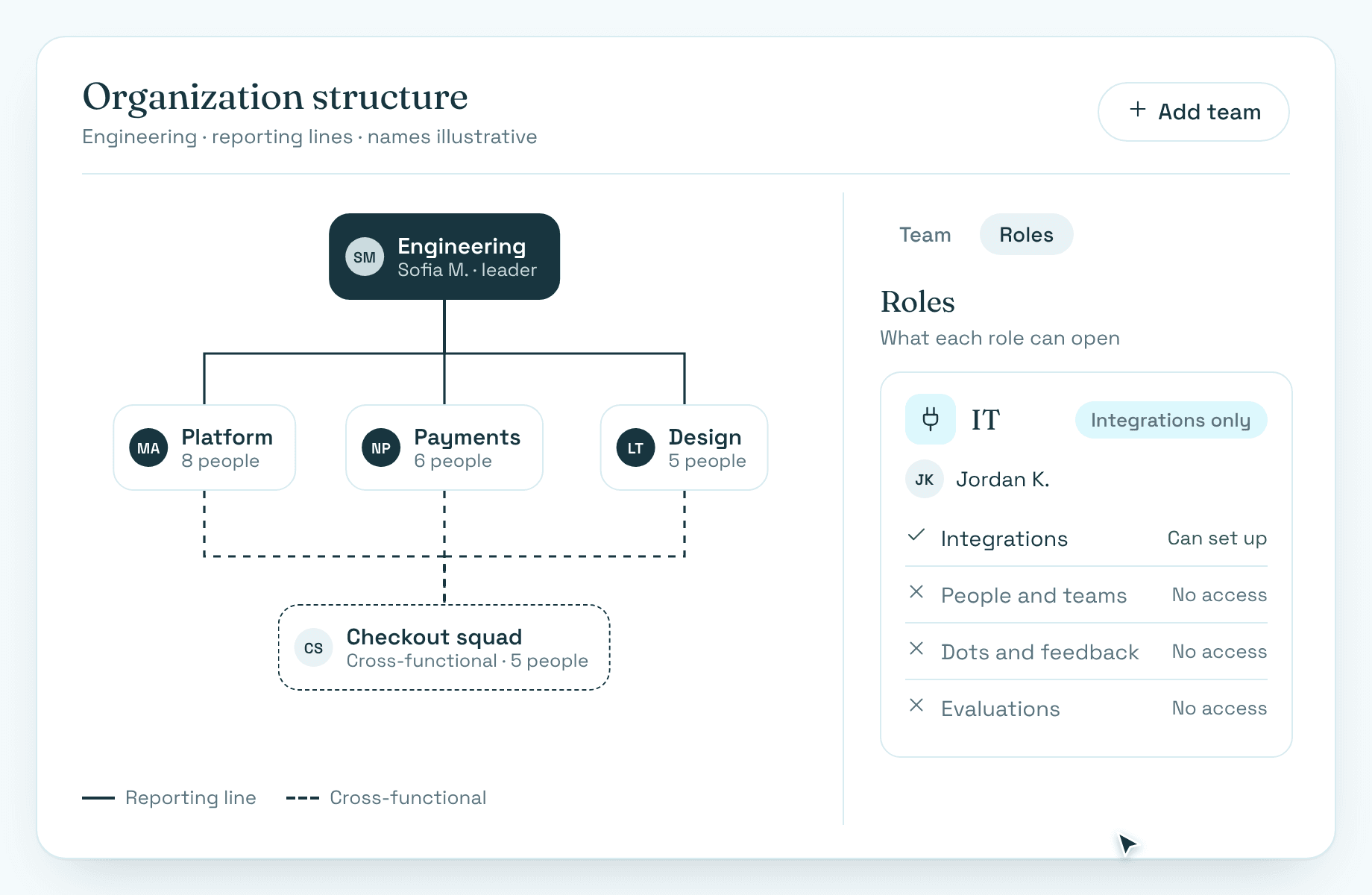
An IT role limited to integrations, consent per tool, infrastructure in the EU and no model trained on customer data.
What matters to you
Consent per tool
An admin connects each tool once and consents to the specific data requested.
An IT role for integrations
Limited to integrations, separate from HR roles.
Raw content deleted
Raw imported content is deleted after processing; the extracted record is kept.
Certified
ISO 27001 certified, infrastructure in the EU, single sign-on with Google.
How it works: A security review, step by step
- 1
Review
Security and privacy facts, the documents, AI in Nextdot.
Security and privacy - 2
Connect
Each tool once, with consent to the specific data requested.
Work-history import - 3
Control
Roles, reporting lines and the IT role.
Administration - 4
Understand the AI
Where it works, what it reads, where people decide.
AI in Nextdot
Security and privacy
- Infrastructure is in the EU.
- Nextdot is ISO 27001 certified.
- No model is trained on customer data.
- Imported work is anonymous until claimed, and identities of people not yet invited are hidden from admins.
FAQ: Questions, answered
More in the FAQ.
Where is data processed?
Infrastructure is in the EU.
Is single sign-on supported?
Yes, with Google only.
Is any model trained on our data?
No. No model is trained on customer data.
Do you list sub-processors?
Yes. The list of sub-processors is available on request, as part of a security review.
Where to next
- FeatureWork-history importTwelve months of work on record on day one.
- FeatureAdministrationSet up once; reporting lines respected on every screen.
- FeatureAI in NextdotWhere AI works, what it reads, and where people decide.
- NextdotSecurity and privacyHow the product handles your data, and where people decide.
- Use caseRun this year's review cycleRun the cycle that is about to start on twelve months of real evidence.
- Use caseYour first performance processStart a performance process without designing forms.
The best way to see it is on your own data
Happy to show it running on one team's tools — twelve months of work, your framework, your people.