What's new
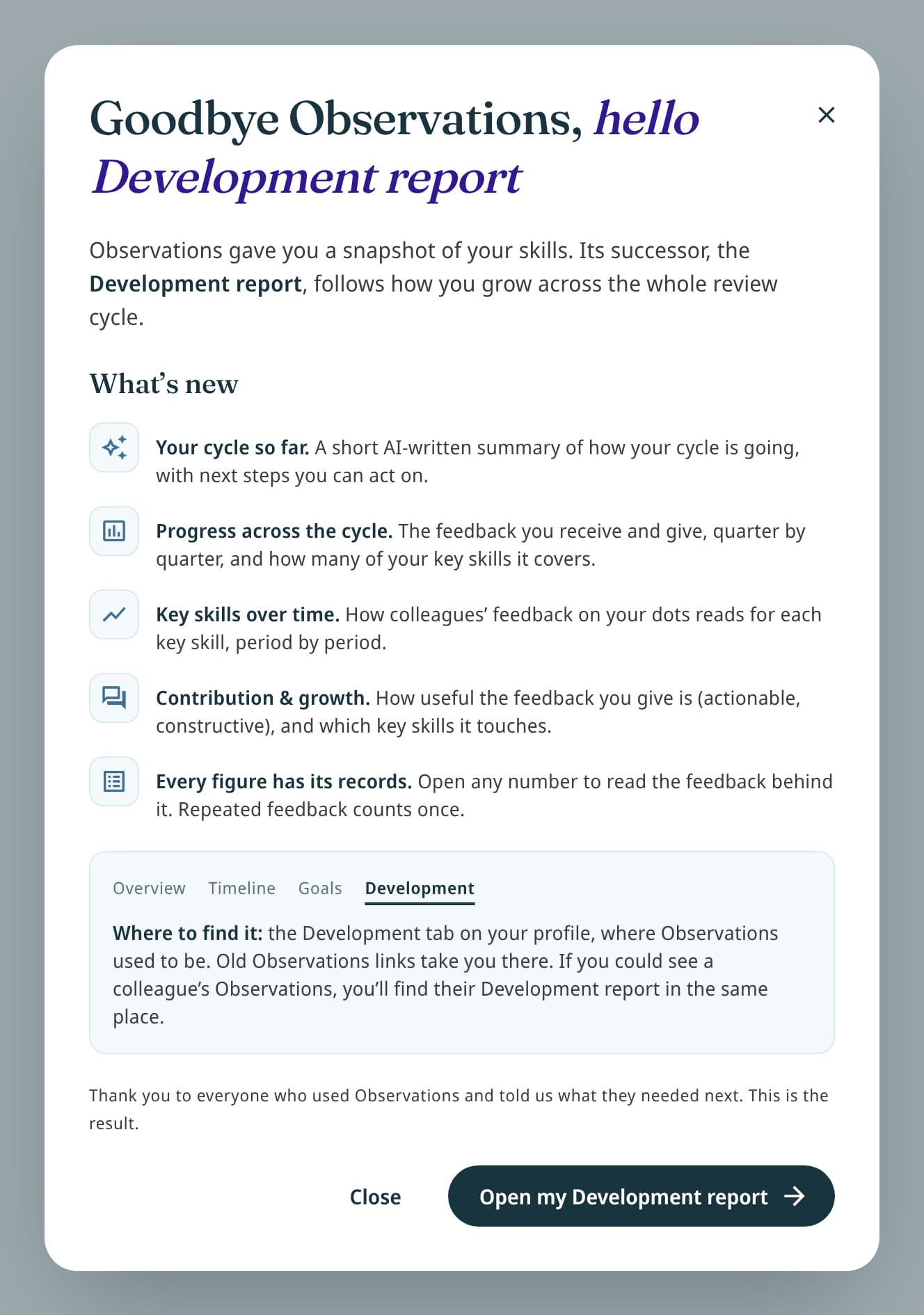
Goodbye Observations, hello Development Report
Observations gave you a snapshot of your skills. Its successor, the Development Report, follows how you grow across the whole review cycle.
What's new
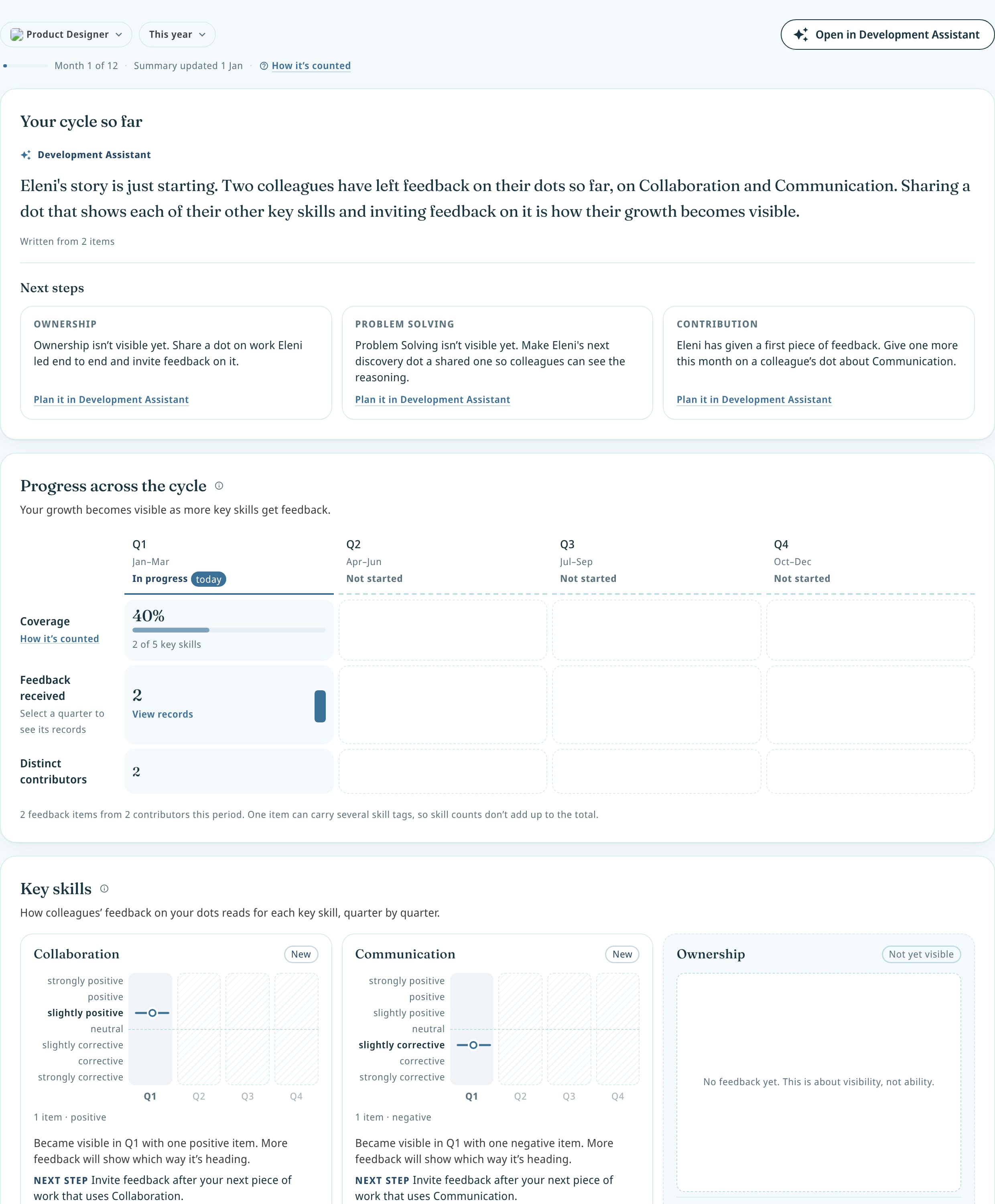
- Your cycle so far. A short AI-written summary of how your cycle is going, with next steps you can act on.
- Progress across the cycle. The feedback you receive and give, quarter by quarter, and how many of your key skills it covers.
- Key skills over time. How colleagues' feedback on your dotsDot: Work worth talking about — time-bound, owned by whoever's doing it, open for conversation while it happens. reads for each key skill, period by period.
- Contribution and growth. How useful the feedback you give is (actionable, constructive), and which key skills it touches.
- Every figure has its records. Open any number to read the feedback behind it. Repeated feedback counts once.
Next steps a leader can act on
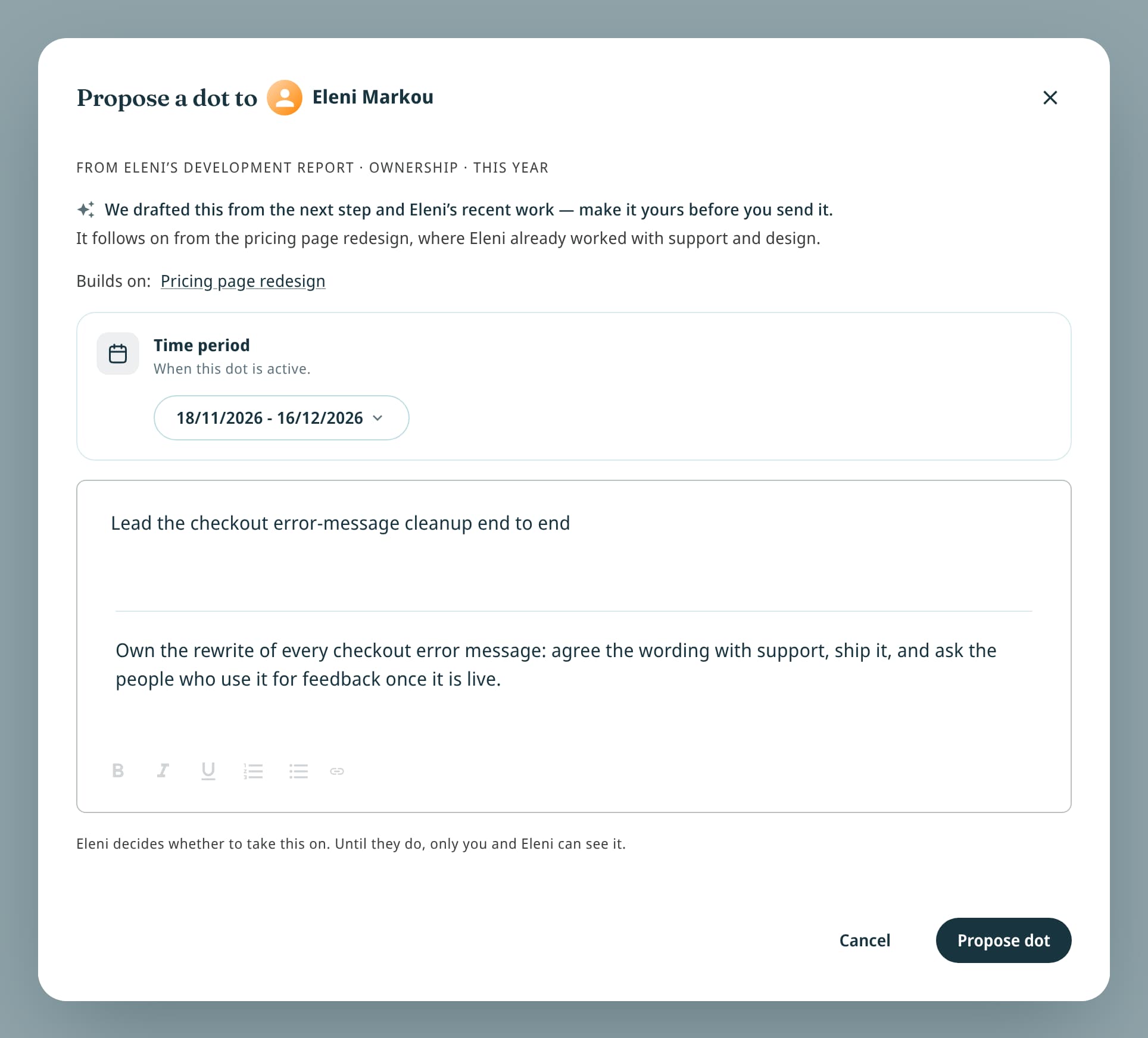
A line leader or admin reading someone's report can turn a next step into a proposed dotDot: Work worth talking about — time-bound, owned by whoever's doing it, open for conversation while it happens., drafted from the step and the person's recent work, or bring it into their next check-in. The person decides whether to take the dot on; until they do, only the two of them can see it.
Where to find it
On the Development tab of your profile, where Observations used to be. Old Observations links take you there. If you could see a colleague's Observations, you'll find their Development Report in the same place.
Thank you to everyone who used Observations and told us what they needed next. This is the result.