What's new
Give feedback on a dot without your name
Where an organization allows it, feedback on a colleague's dot can now be posted anonymously. Nobody sees who wrote it, not the owner, their leaders or admins, and it still counts in reports and reviews.
The feedback that goes unsaid
Most feedback is easy to sign. Some is not. A new joiner thinks a senior colleague's migration plan skips a risk. An engineer disagrees with the approach their own leader put up for comment. Someone in support sees a customer problem in a launch everyone else is praising. With a name on it, that feedback is softened or never written, and the work goes ahead without it.
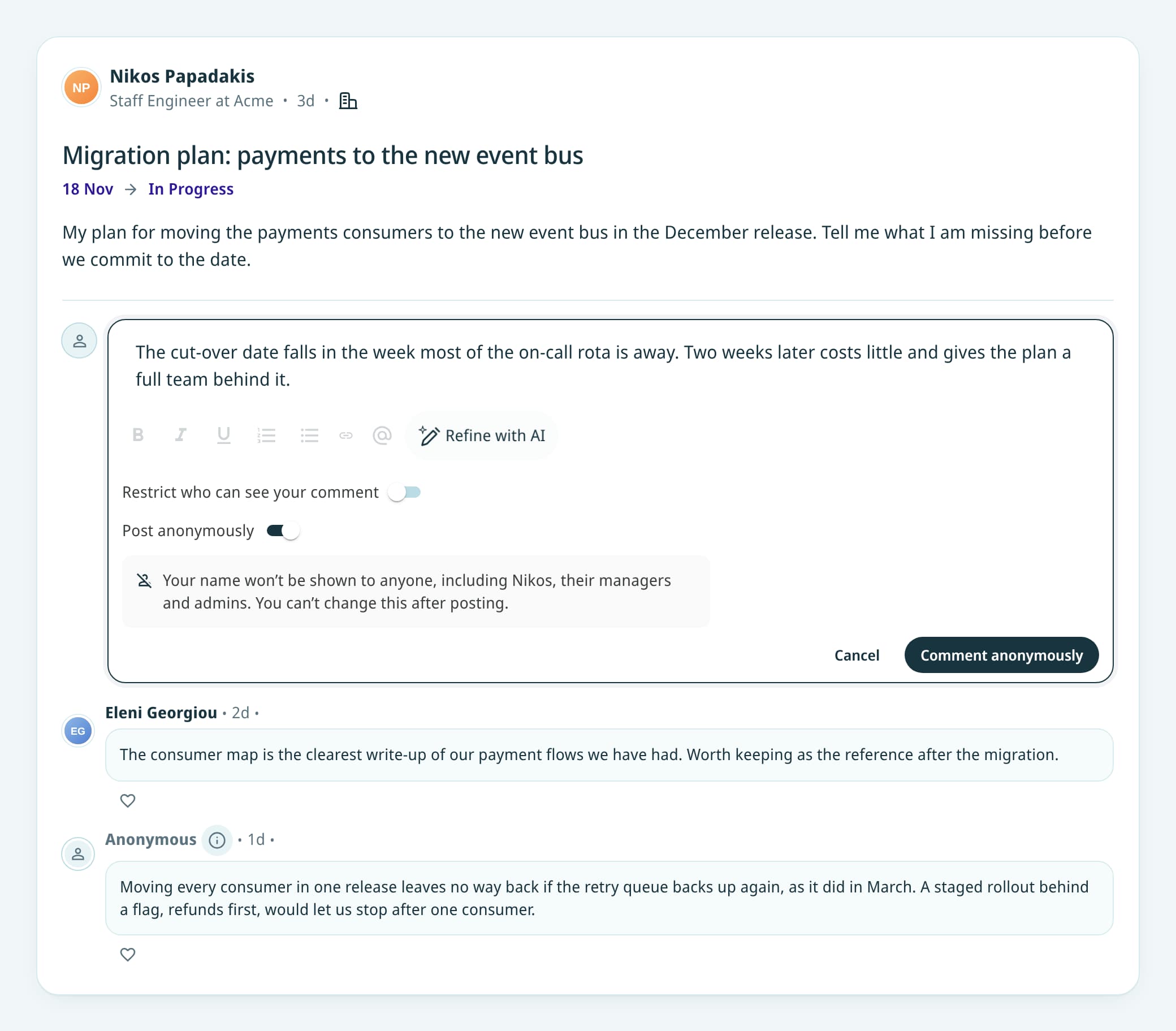
Now it can be posted on the dotDot: Work worth talking about — time-bound, owned by whoever's doing it, open for conversation while it happens. anonymously. It appears in the conversation as Anonymous, and the owner answers it like any other comment: replies still reach the person who wrote it.
Who sees what
- The person giving feedback chooses Post anonymously in the feedback form of a dot they don't own. Before they post, the form says who won't see their name.
- Nobody is shown who wrote it: not the dot's owners, their leaders, auditors or admins. The notifications about it name nobody either.
- Only the author sees that the comment is theirs. They can still edit or delete it, and it stays anonymous: the choice can't be changed after posting.
Only where a name can't be guessed
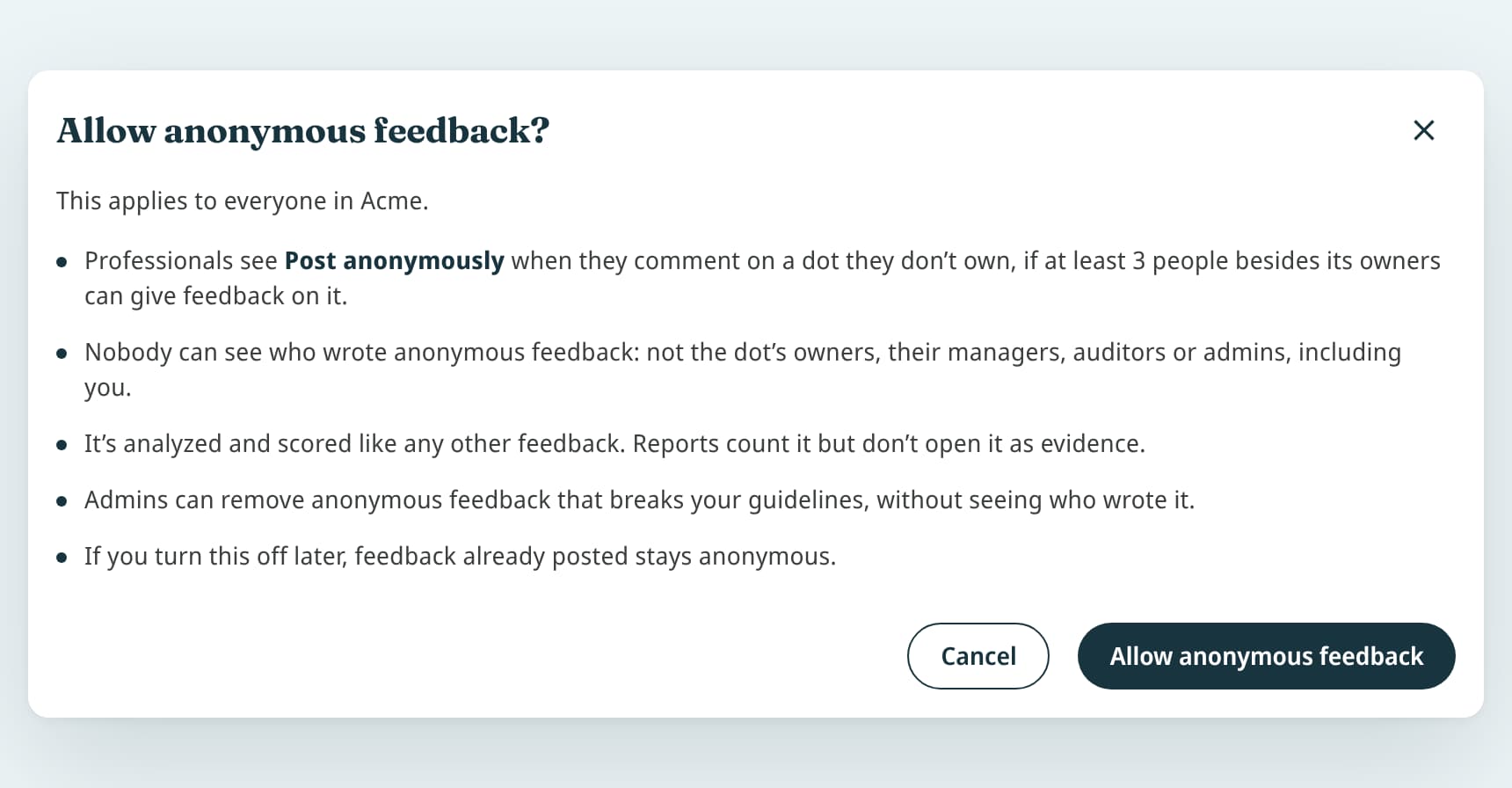
When two people share a dot, an anonymous comment is not anonymous. So the choice is offered only on dots that at least three people besides the owners can give feedback on. A dot shared with the whole organization qualifies. On a dot shared with one invited colleague, the choice is shown as unavailable, and says why.
It still counts
Anonymous feedback is analyzed like any other: its tone, whether it is actionable, and the key skills it shows. Reports and performance reviews count it, and show it as Anonymous: no name, no job role and no link to a profile. It is left out of the list of feedback its author gave, so a shared report never gives them away.
The organization decides
Anonymous feedback is off until an admin allows it for the organization, in Settings › Security & Privacy. Admins can remove an anonymous comment that breaks the organization's guidelines, still without seeing who wrote it. If the organization stops allowing it later, feedback already posted stays anonymous.
And a few more
- An author finds their own anonymous feedback on their Feedback given page, marked as visible only to them.
- An admin who removes an anonymous comment is asked to confirm, and their name is recorded with the removal. The comment then stops counting in reports and scores.